
CASE STUDY
Decreasing time to value in AI generated videos
Reduced avg. video completion time from ~50 mins to 15 mins by redesigning
editing flow + system behavior
Role
Lead Designer
TEAM
1 PM · 3 Eng · 1 Analyst
Platform
Web
TIMELINE
8 Weeks
00
Executive
summary
PROBLEM
The editing workflow was filled with friction, and long idle regeneration times increased time-to-value, leading to higher bounce rates.
SOLUTION
Re-architected the editing system with scene-based regeneration and a more structured workflow to improve speed, editability, and creative control.
IMPACT
Turned blocking operations into background processes, creating a faster and more fluid editing experience leading to faster video creation
01
Introduction
Rizzle is an AI-driven video creation platform designed to make video production fast, simple, and accessible to everyone, democratizing the content creation process.
HIGH LEVEL VISION
TIME CONSUMING EDITING
Reduce the hours (or even days) spent on video production.
HIGH SKILL REQUIREMENT
Eliminate the dependency on complex editing software experts.
TIME CONSUMING EDITING
Ensure consistently high quality videos with personal customisation.
INCREASE ROI
Lower the financial barriers associated (software, licensing, etc.)
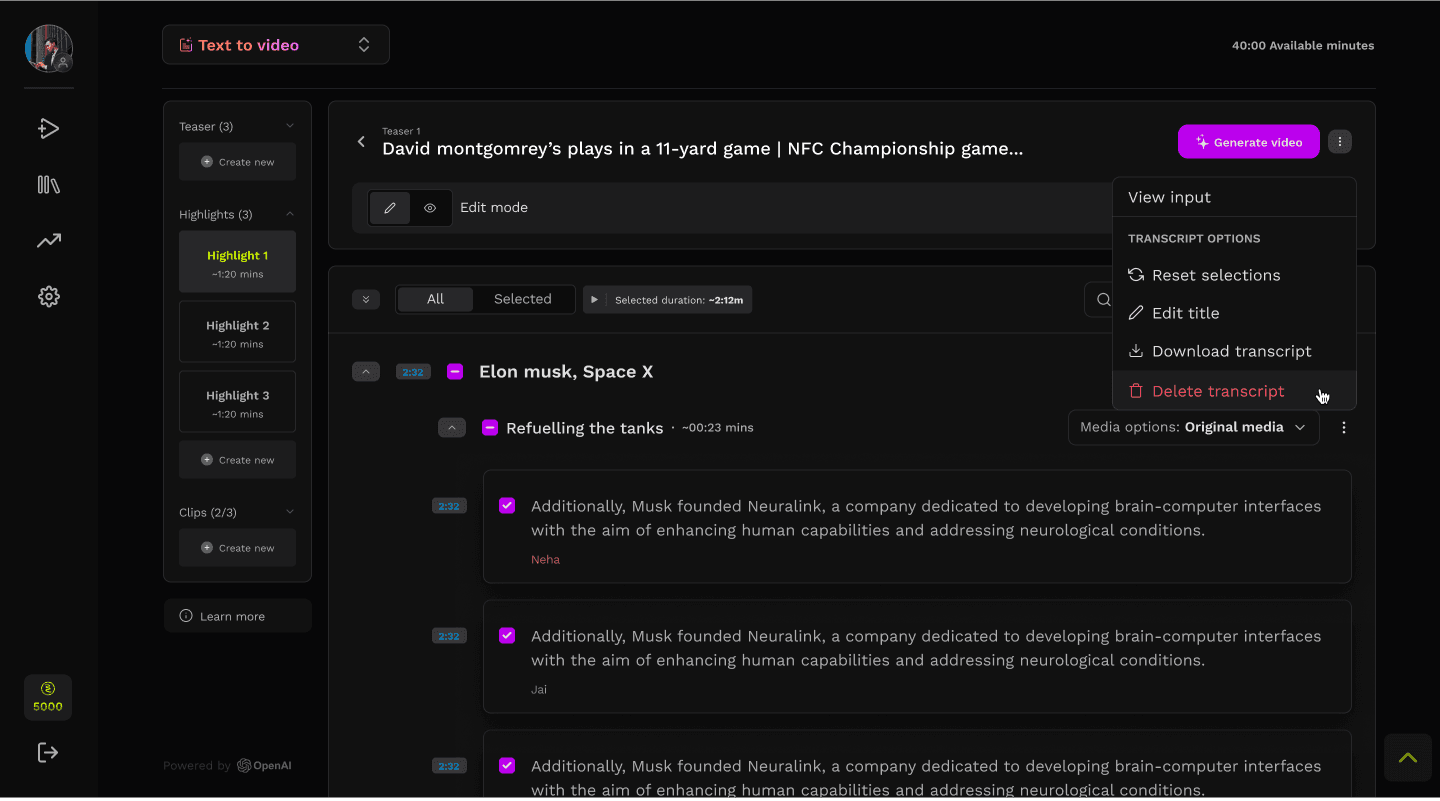
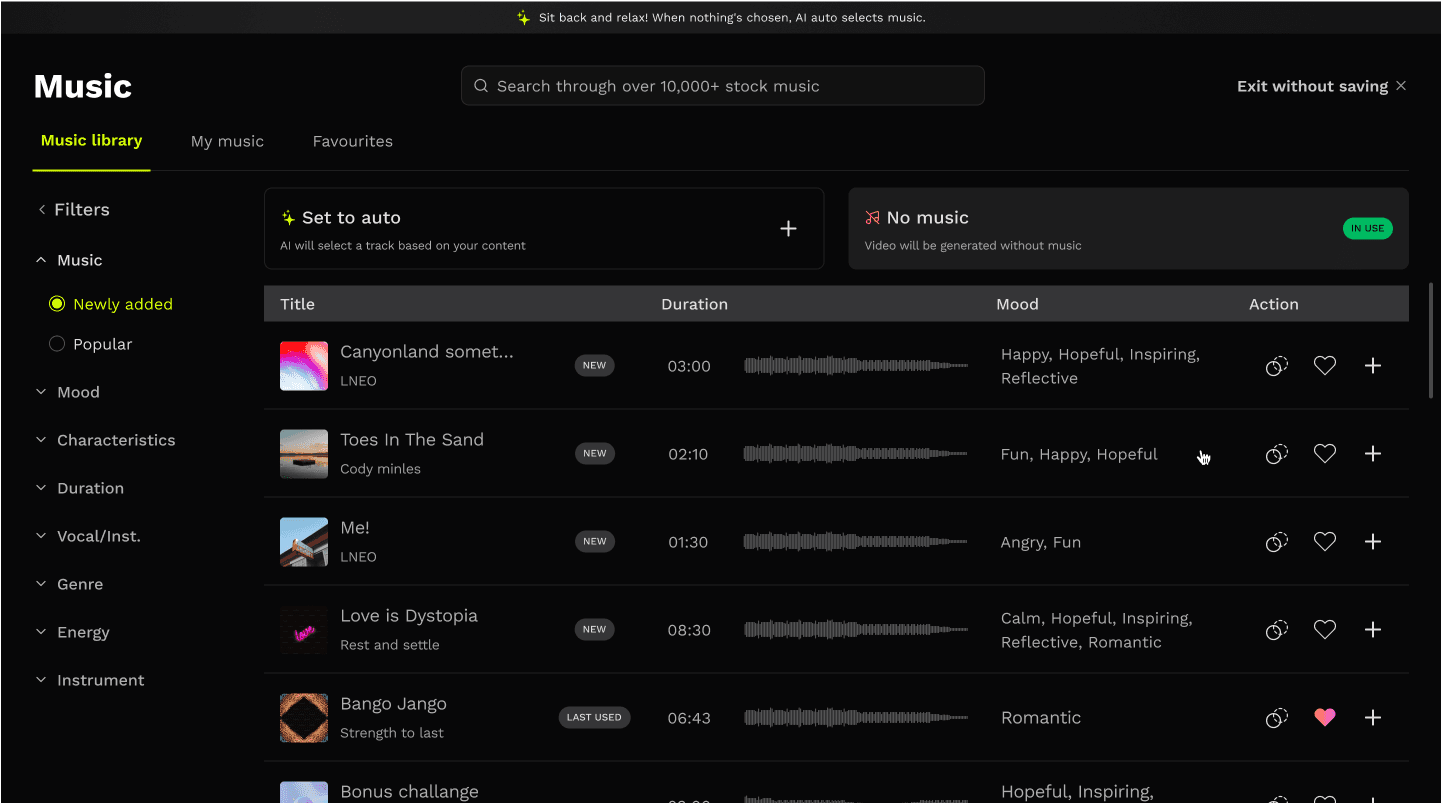
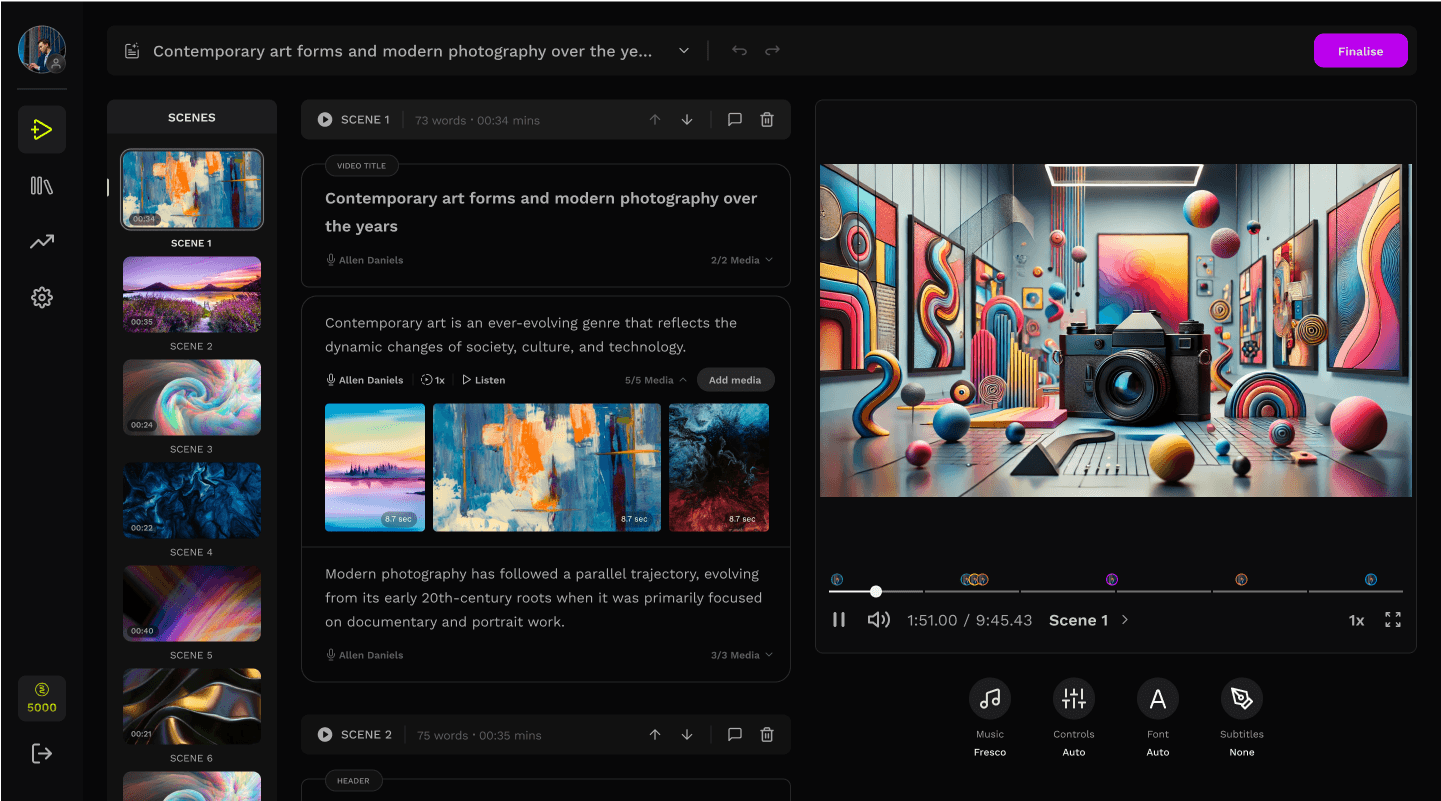
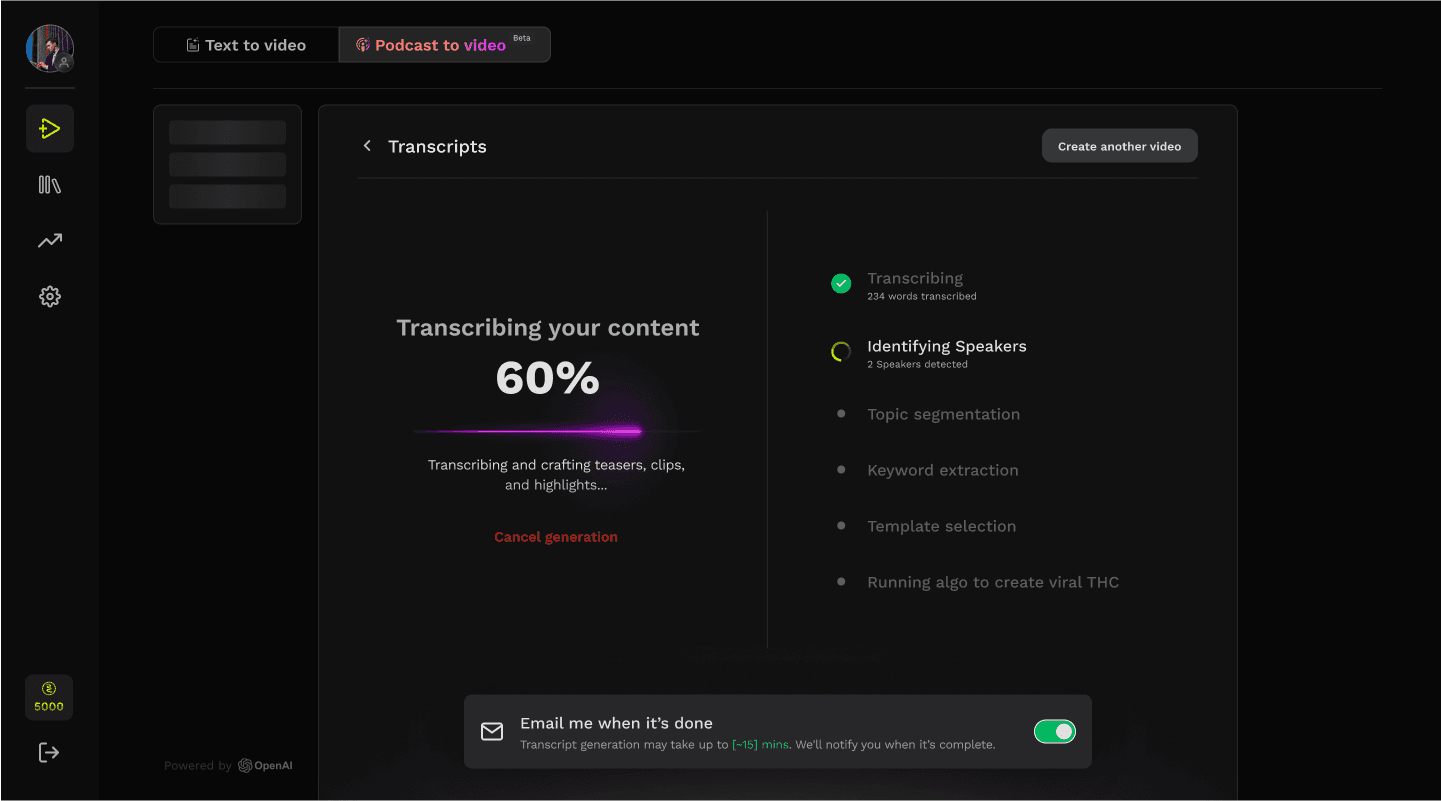
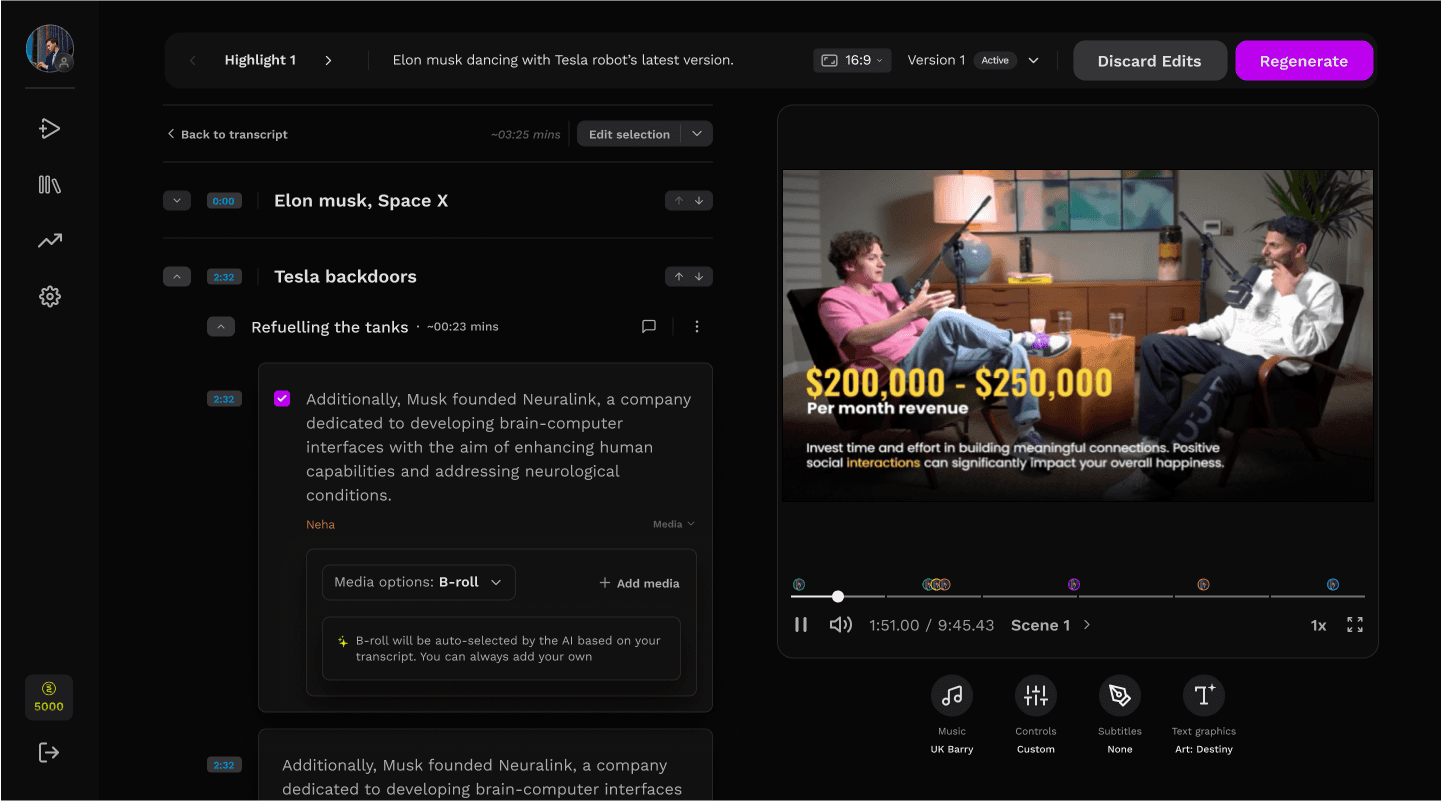
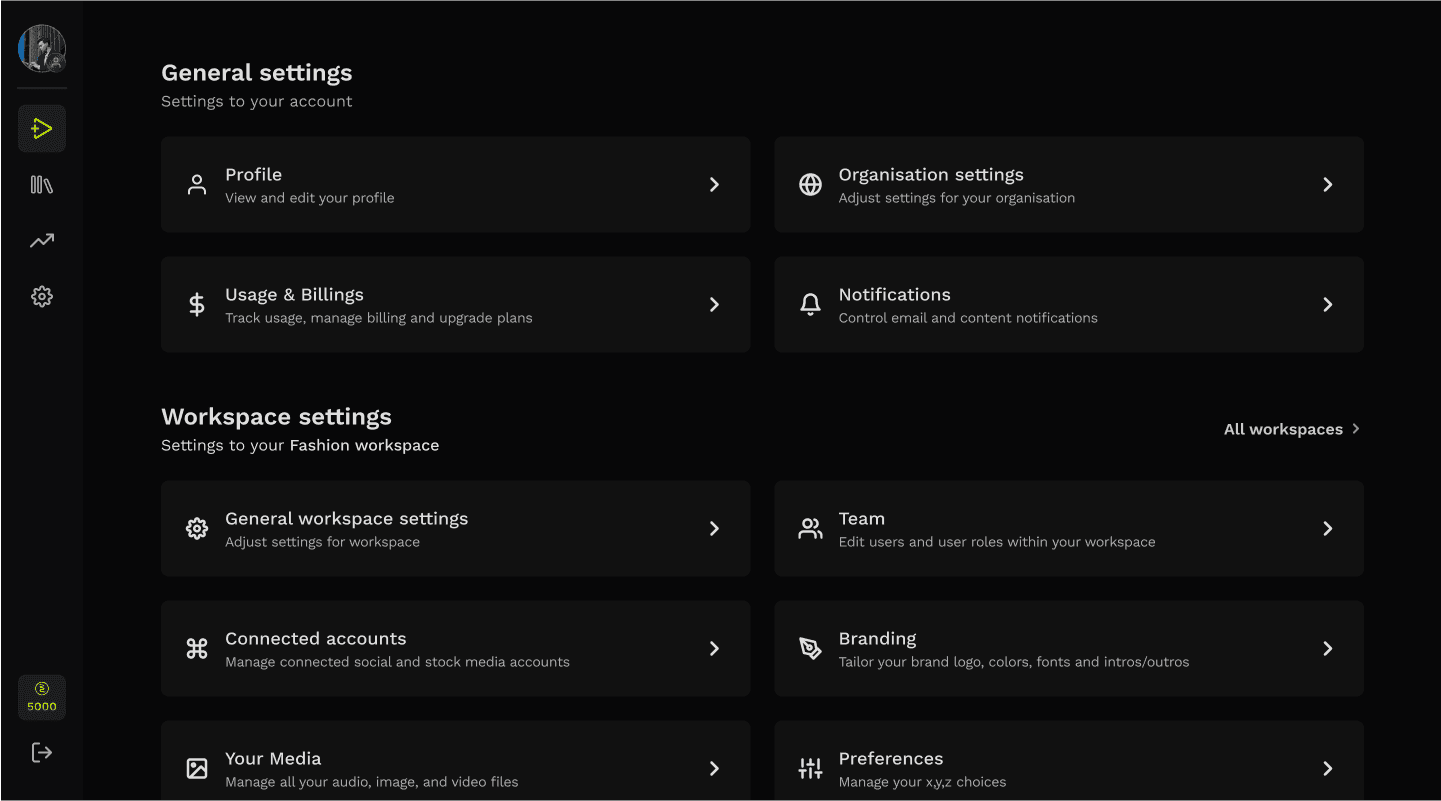
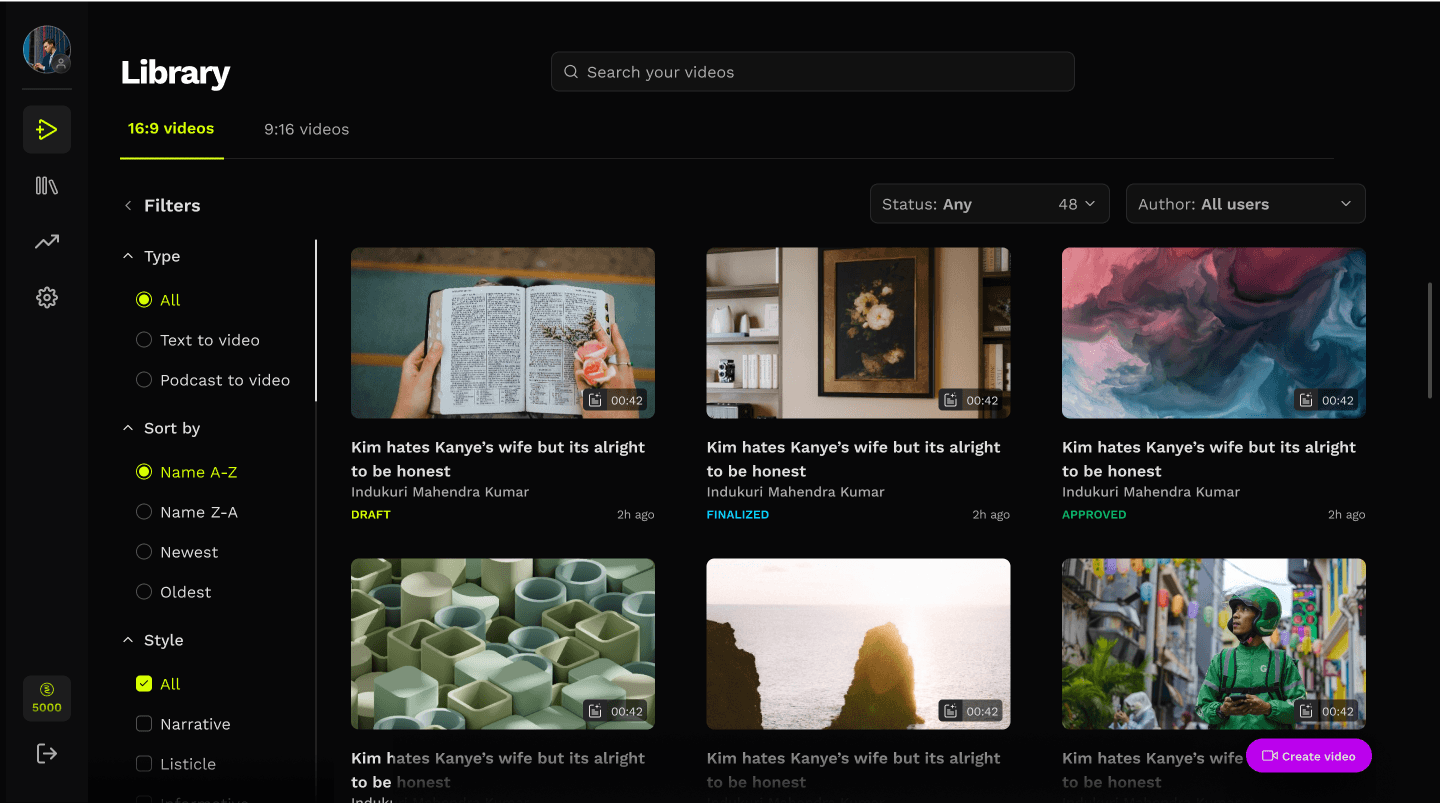
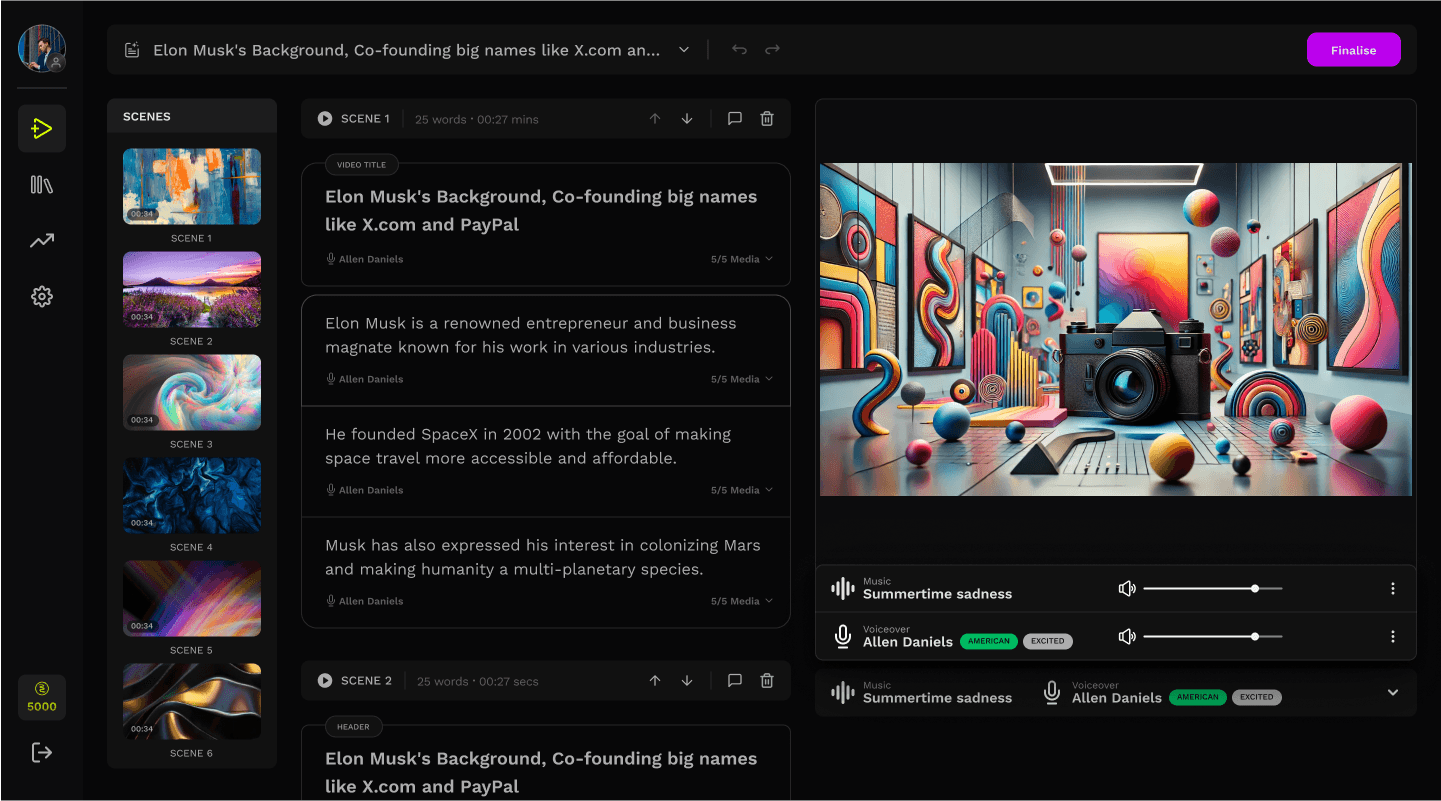
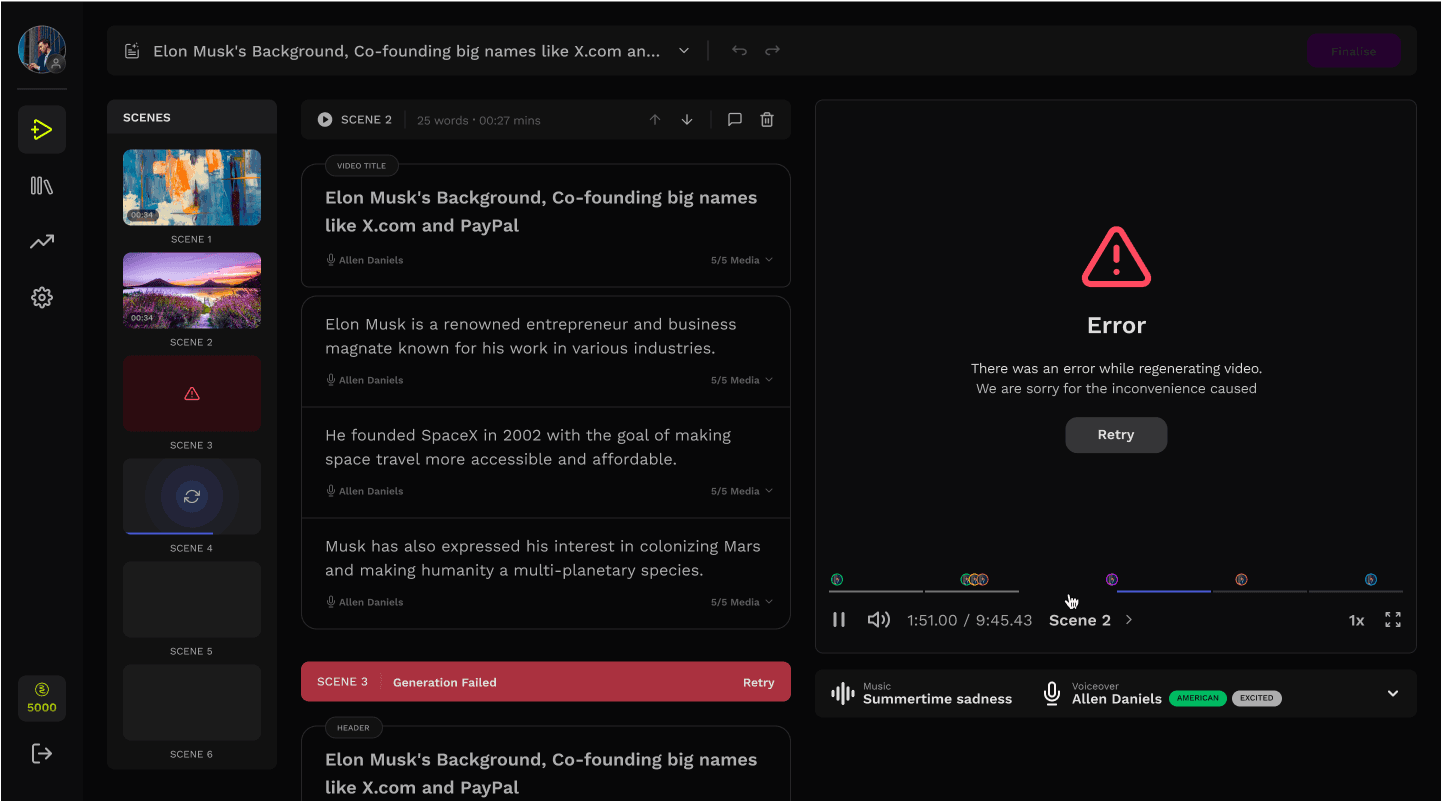
HIGH LEVEL OVERVIEW OF THE PLATFORM

01
Problem
Users were dropping off during the editing phase, leading to major funnel abandonment and low NPS. This project focused on redesigning the editing experience to improve completion and retention.
CREATION USER FLOW

AI DRIVEN
POINT OF MAJOR DROP OFFs (63%)
REVIEW, EDIT AND REGENERATE
A major chunk of our user abandoned the video creation process during the review and edit process
INHERITED SCREENS
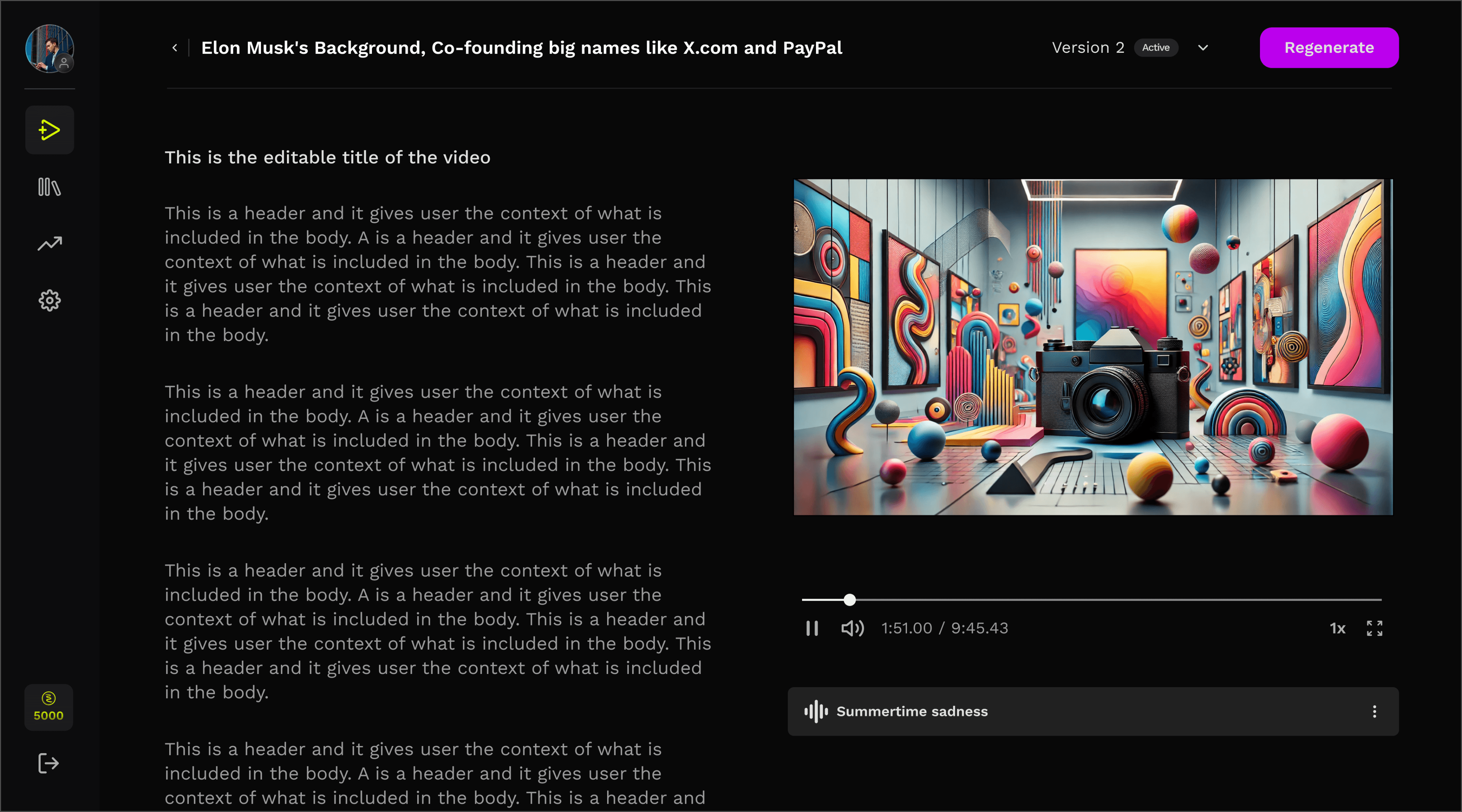
SCREEN 1
Review and edit screen
Users couldn’t map script → video.
Editing required mental translation.
No preview-feedback loop.
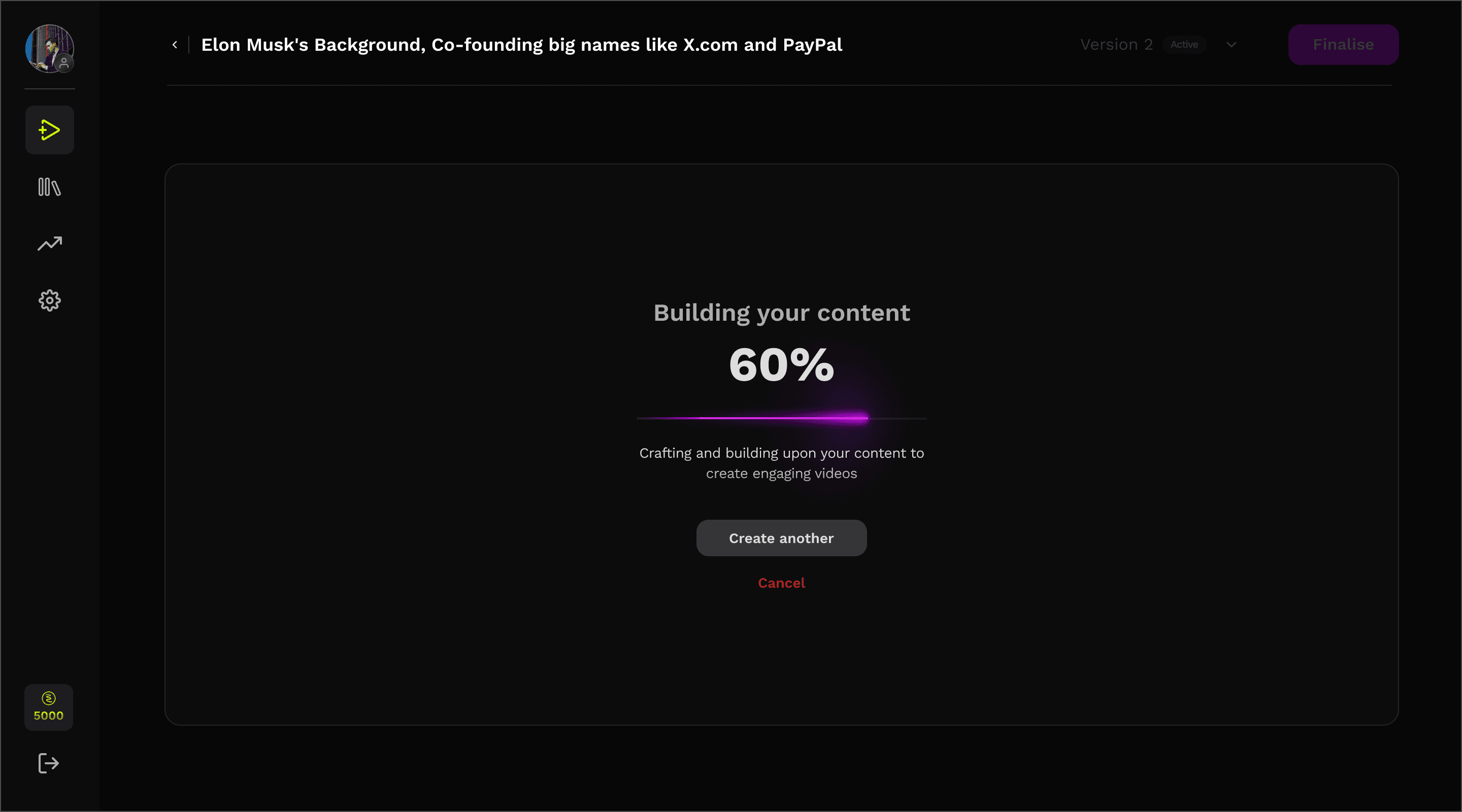
SCREEN 2
Regenerating Screen
Users felt it took too long to complete!
Especially since it was a blocking operation.
02
Approach
Grounding decisions in research, understanding user behavior, and defining measurable success metrics before moving a single pixel.
RESEARCH
ONLINE RESEARCH
Conducted surveys with 50+ content creators.


IN-DEPTH INTERVIEW
Led 12 one-on-one interview sessions.

COMPETITOR ANALYSIS
Evaluated 4 leading content creation tools.



USER TESTING
Observed 10+ users to observe the pain points.

USER FINDINGS
Information felt incoherent and unstructured.
Users could not map script → video output
Editing required mental translation
Limited set of editing controls
LEADING TO
Enormous time to value
{
mins
8
Video Generation
+
mins
12
Video Generation
}
+
2.5
Average Regeneration
=
mins
50
Avg. time spent
50 MINS AVG, - TIME TO VALUE
SETTING PRIORITIES
REVIEW AND EDIT SCREEN
Reduce dependency on regeneration by improving edit-ability
Introduce structure during edits.
Align script with the video timeline.
Allow more precise editing decisions without adding complexity
REGENERATING SCREEN
Engaging user during generation
Introduce ways to engage users during the idle regeneration process
03
Designs and discussions
Diverged into several possible interaction models, wireframing different layout structures abd understanding the system
WIREFRAMING
Diverged into several possible interaction models, tested different layout structures for visual segmentation of script which we called scenes and gradually converged on the most promising ones.
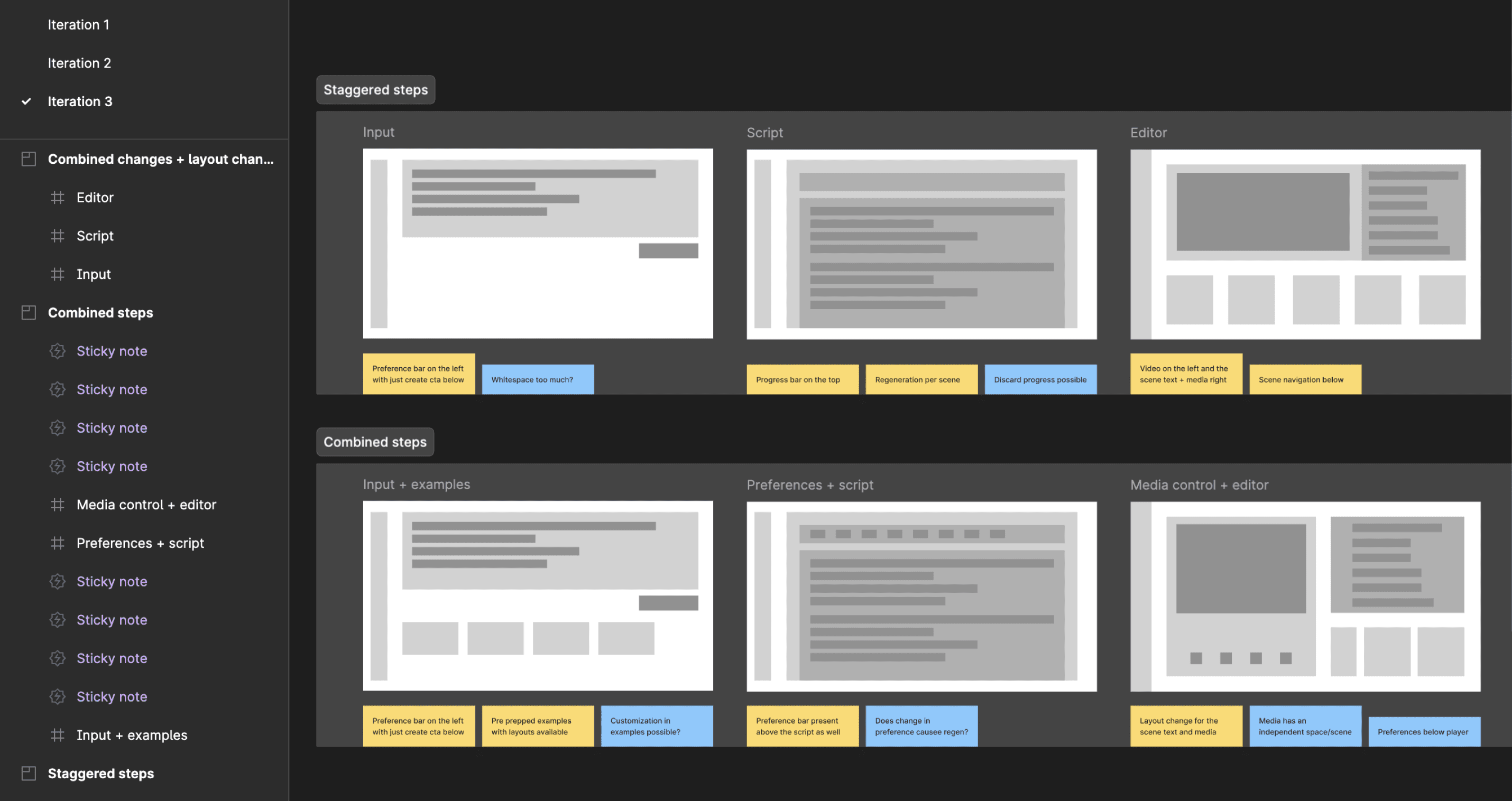
1
ReVIEW AND EDIT SCREEN
At that moment the tech limitations could not simply fasten the process of regeneration.
MID-FI LAYOUTS TO GET VALIDATIONS
Timeline-first
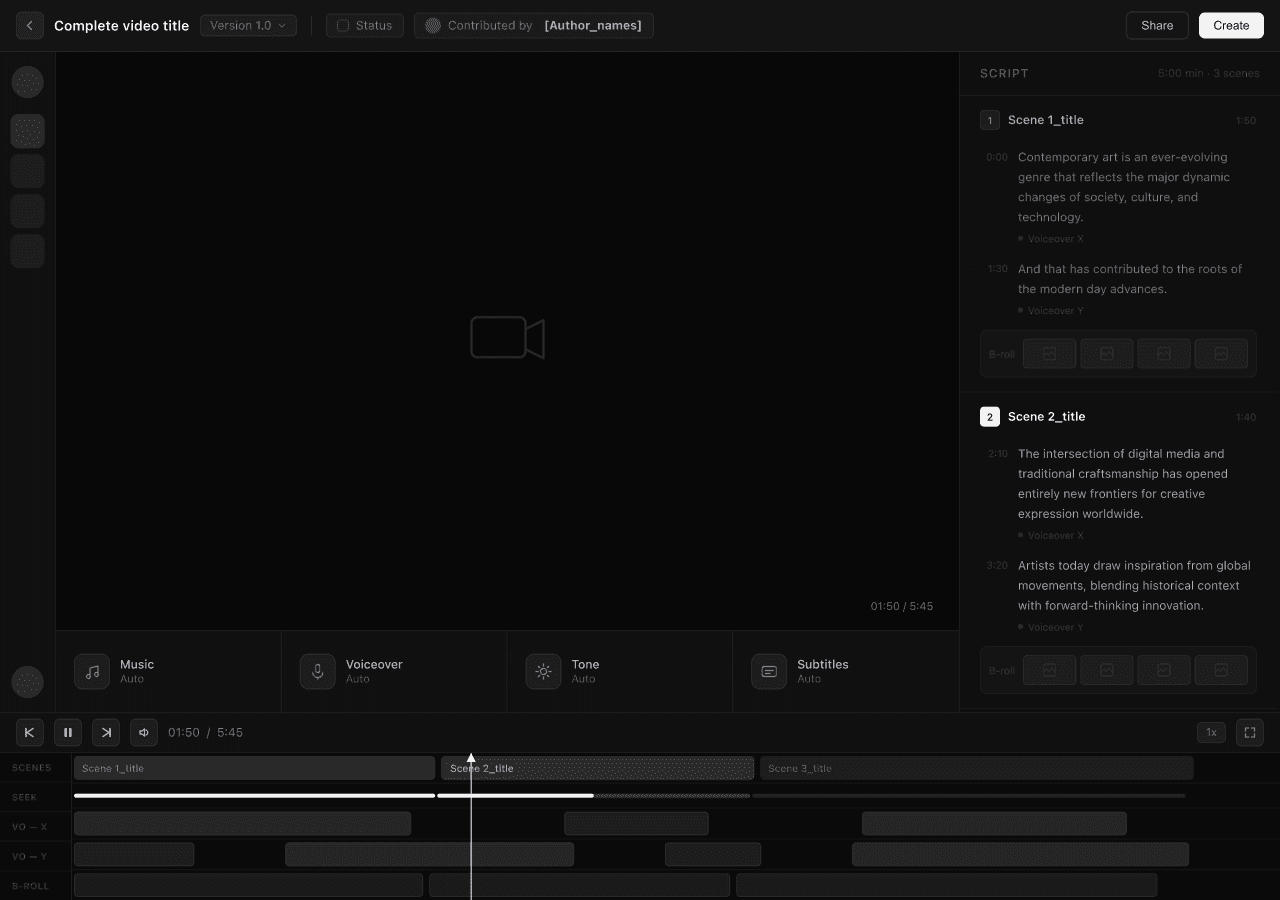
HYPOTHESIS
Timeline interface improves editing precision
TRADE oFF
Too complicated and technical for target users, has a higher learning curve

Scene-first
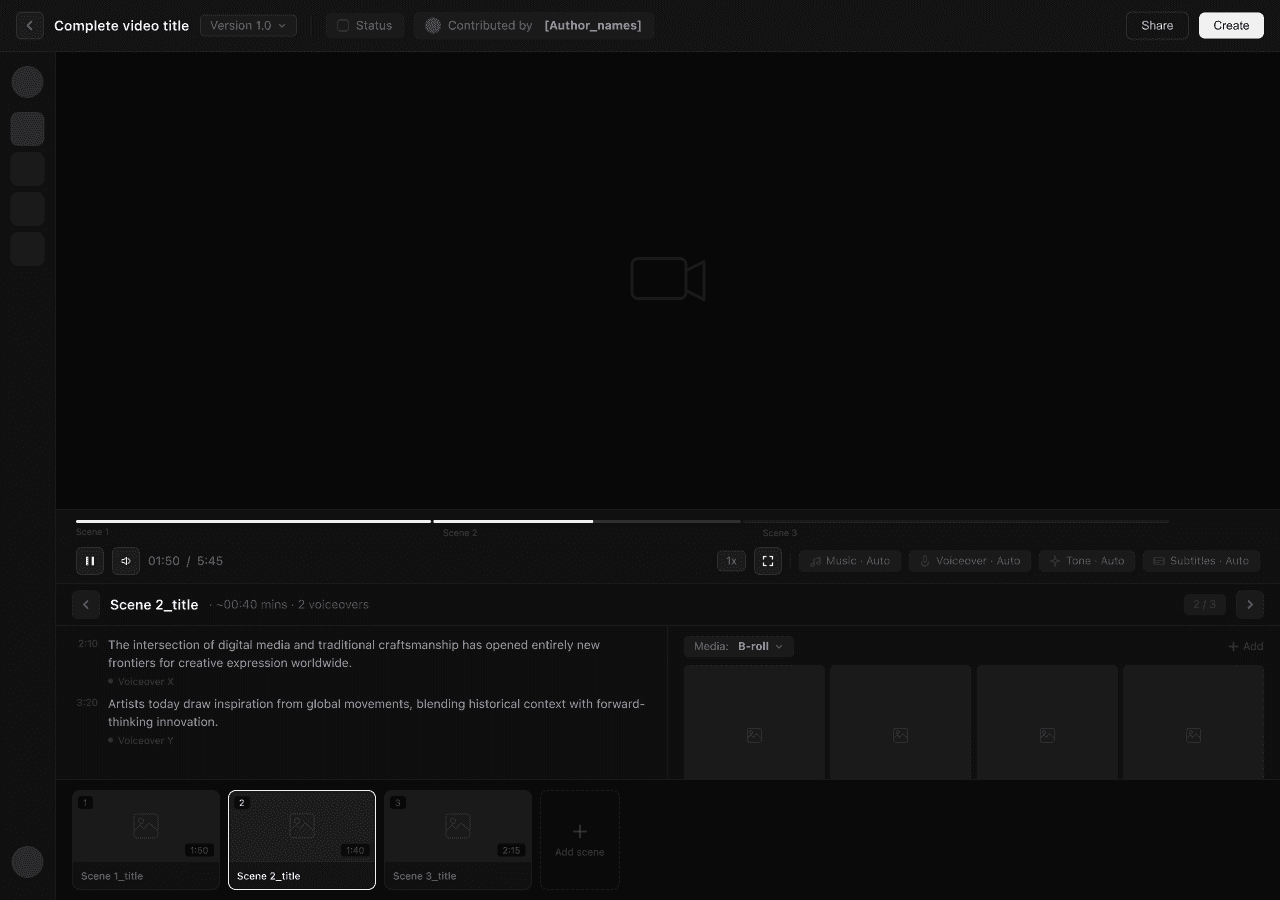
HYPOTHESIS
Great for focused editing
TRADE oFF
Scene took precedence over script and hindering visibility of the overall video structure
Script-first
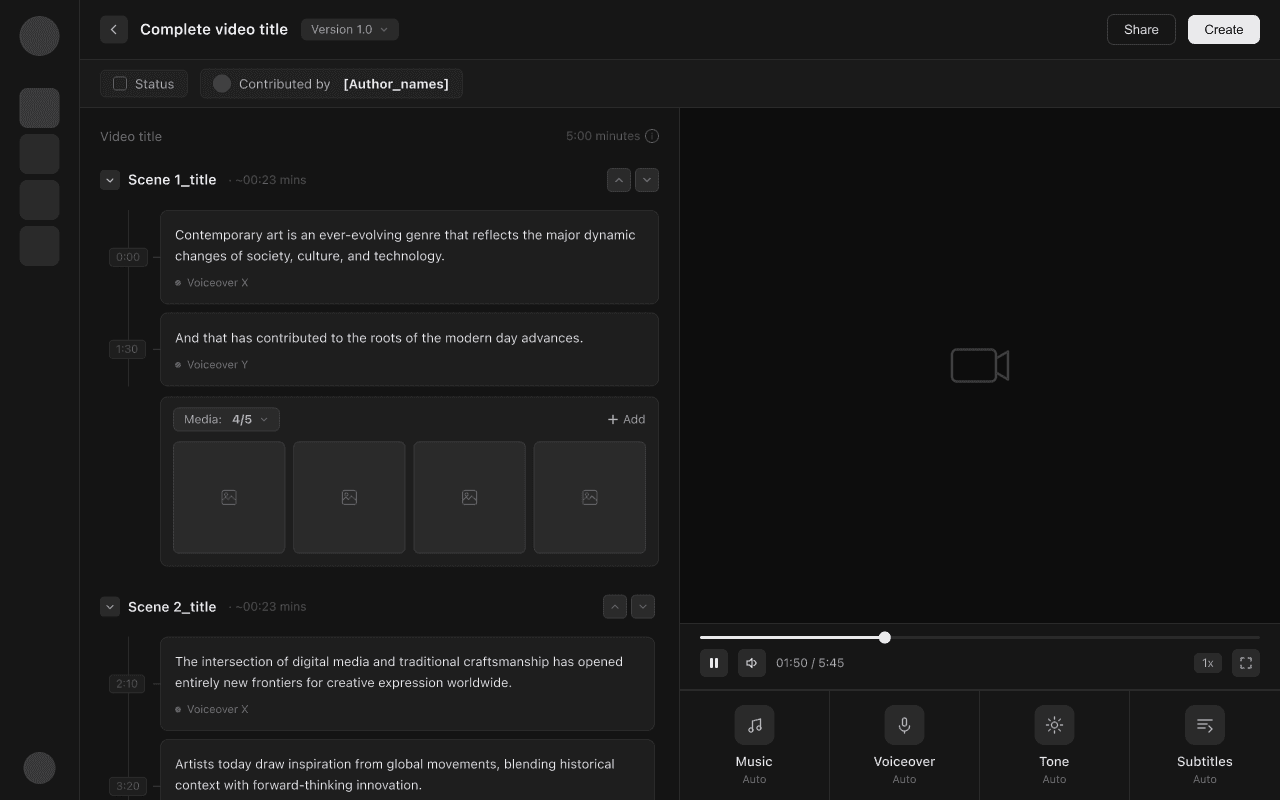
HYPOTHESIS
User thinks in narrative. Not timeline.
WHY BETTER?
Extremely easy mental model. mostly like editing a document and this structure felt scalable even with longer videos having multiple scenes.


2
GENERATING SCREEN
We initially investigated optimizing the backend video creation pipeline to facilitate faster generations. However, engineering confirmed that significant speed improvement in generation were unlikely in the short term.
COLLABORATING WITH TECH
Other technical considerations to reduce the time that looked promising, but didn't work.

Lowering video quality during edits. Hurts editing experience.
While this could have accelerated regeneration, it would have compromised the user experience during the critical editing phase.

Limit high-latency editing options. Reduced flexibility users wanted.
While this could have improved rendering speed, it would have reduced flexibility and personalization — directly conflicting with user needs.

Making dynamic video edits. Too expensive at the time.
Allowing users to edit directly on the video. While promising, the engineering investment was too high relative to the projected impact.
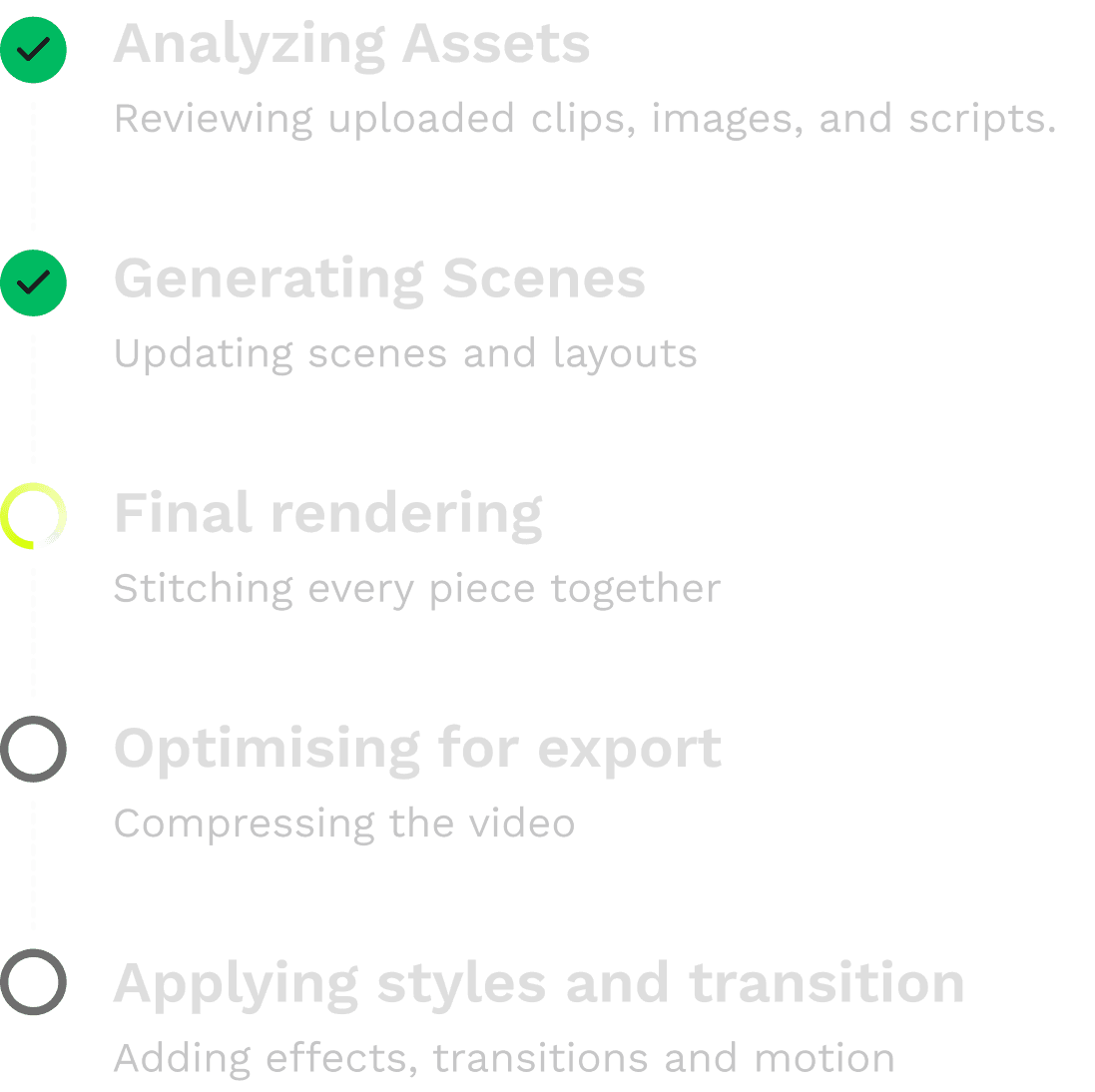
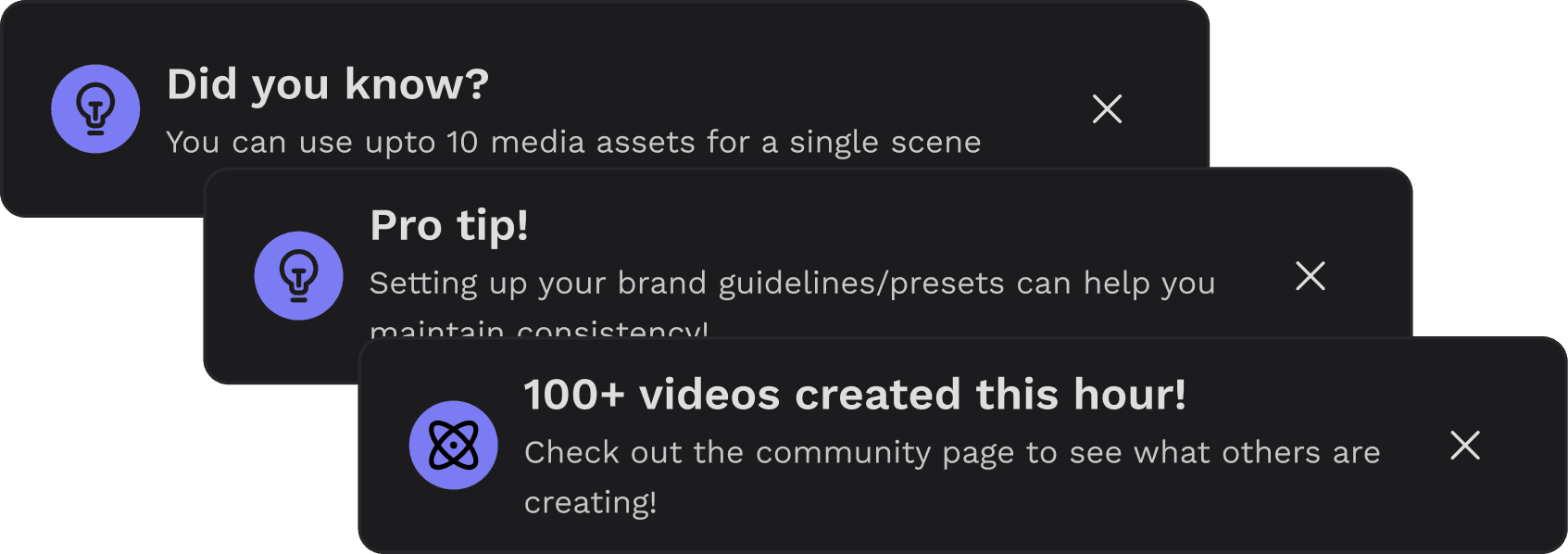
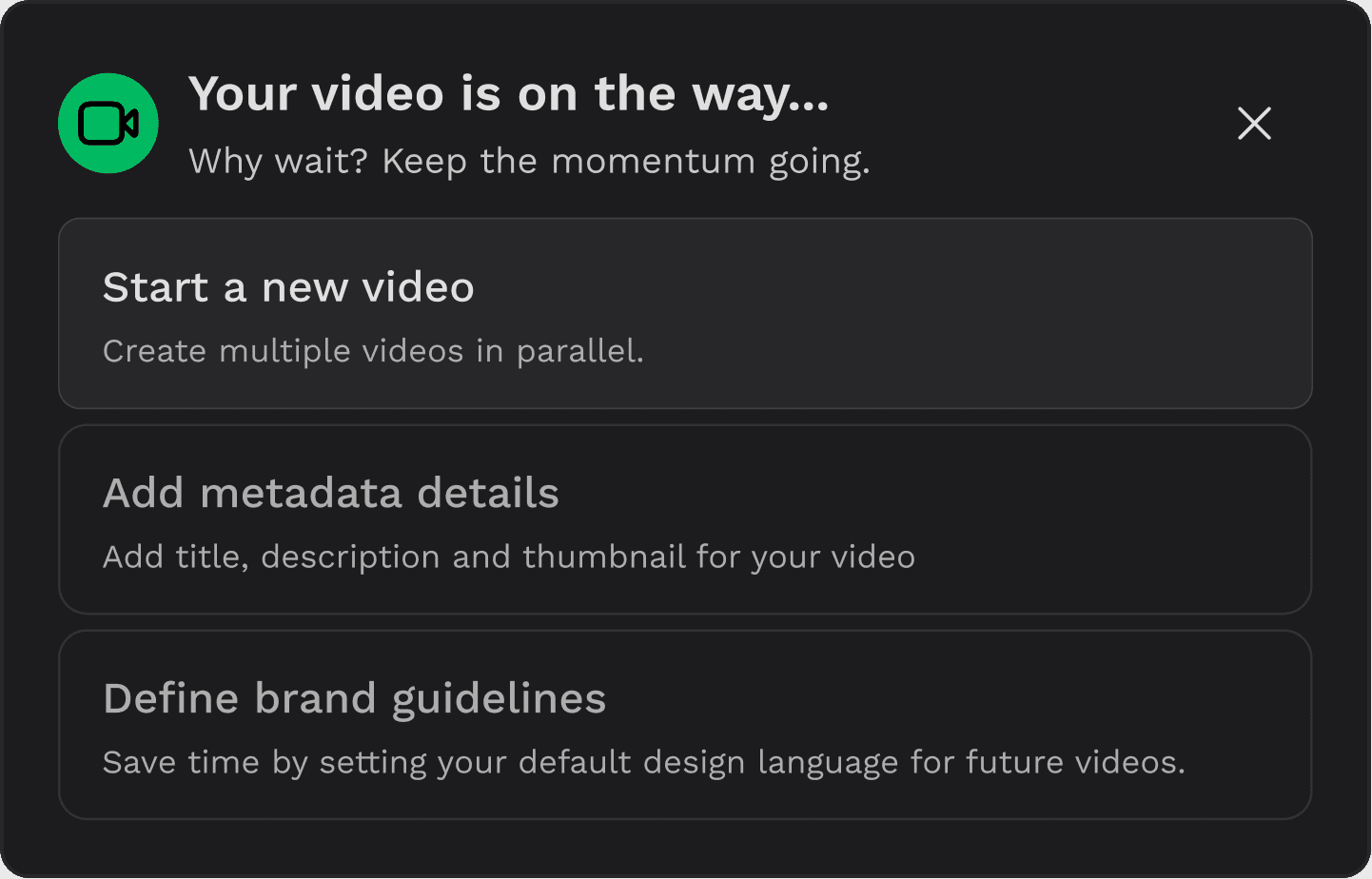
EXPLORING ENGAGEMENT EXPERIENCES
04
Insights during validating
Testing it with the user for validating the designs led to an important pivot in
the design approach.
Scene BASED VIDEO
SCENE 1
SCENE 2
SCENE 3
<- EDIT HERE
OBSERVATION
With scenes, users were making fewer edits overall, only to a few certain scenes.
USER INTERFACE
s1
s2
s3
s4
BACKEND
V1
constraint
Despite a scene-based interface, the backend rendered the video as a single unit, causing even small edits to trigger full video regeneration.
USER INTERFACE
s1
s2
s3
s4
BACKEND
s1
s2
s3
s4
QUESTION
What if we treated a video as a collection of independent scenes?
breakthrough
If scenes could be regenerated independently, users would only need to regenerate the part they edited.
This idea led to scene-based architecture and a shift in the product roadmap.
SCENE 1
SCENE 2
SCENE 3
SCENE 4
<- REGENERATE
HERE


05
Final Designs
Step by step design decision from inherited screen to the new screen.
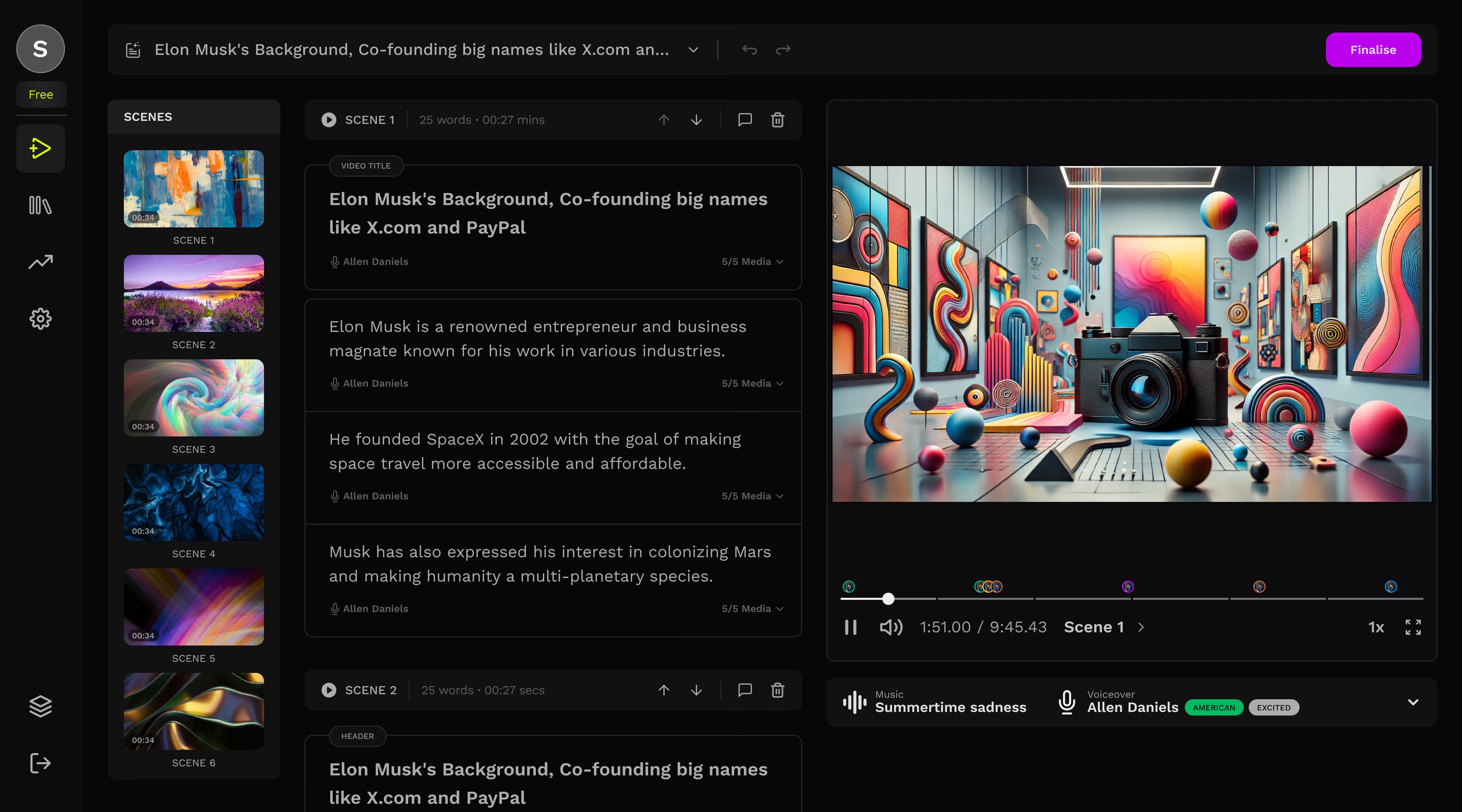
BEFORE AND AFTER
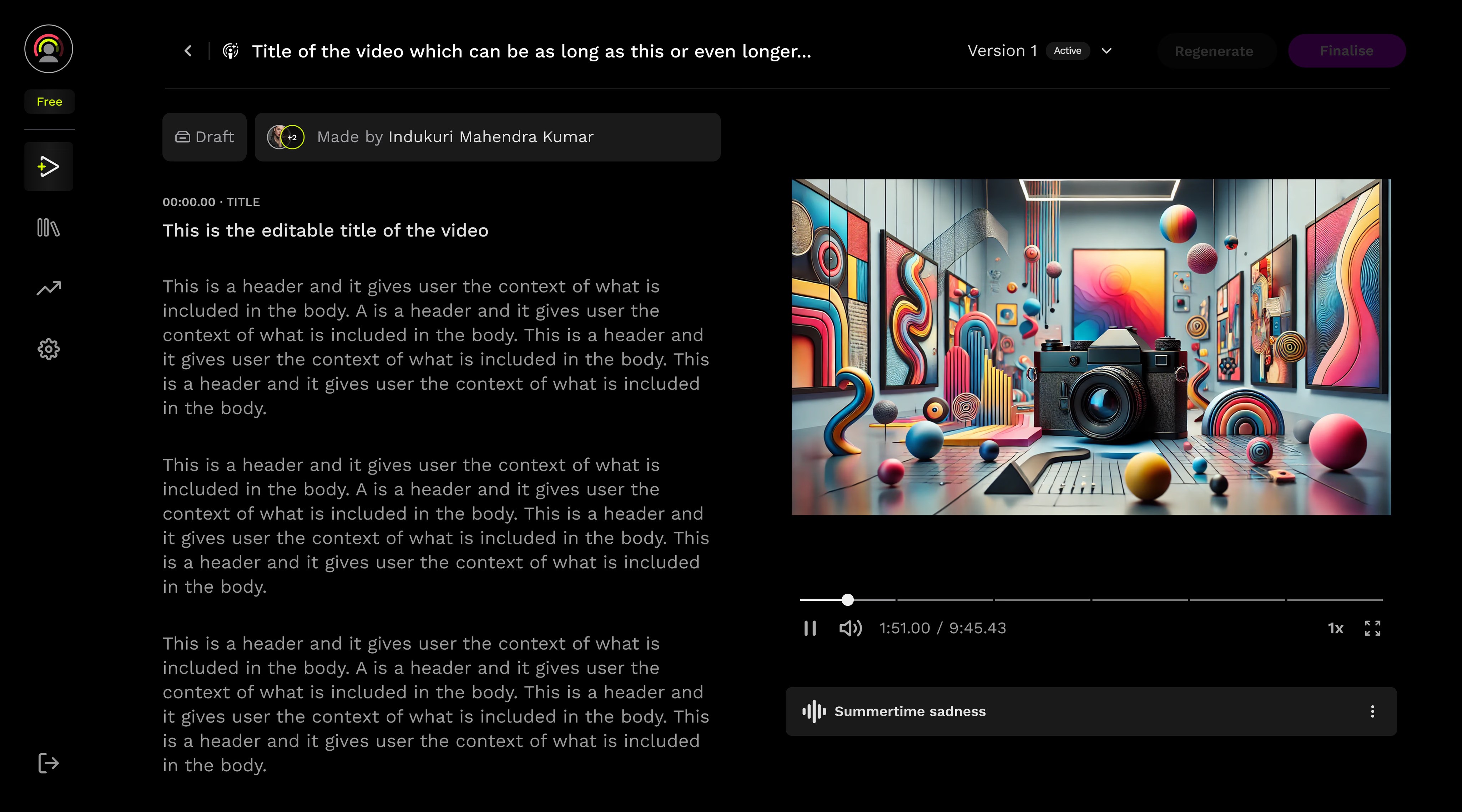
DESIGN DECISIONS
BREAKING DOWN THE CONTENT
1
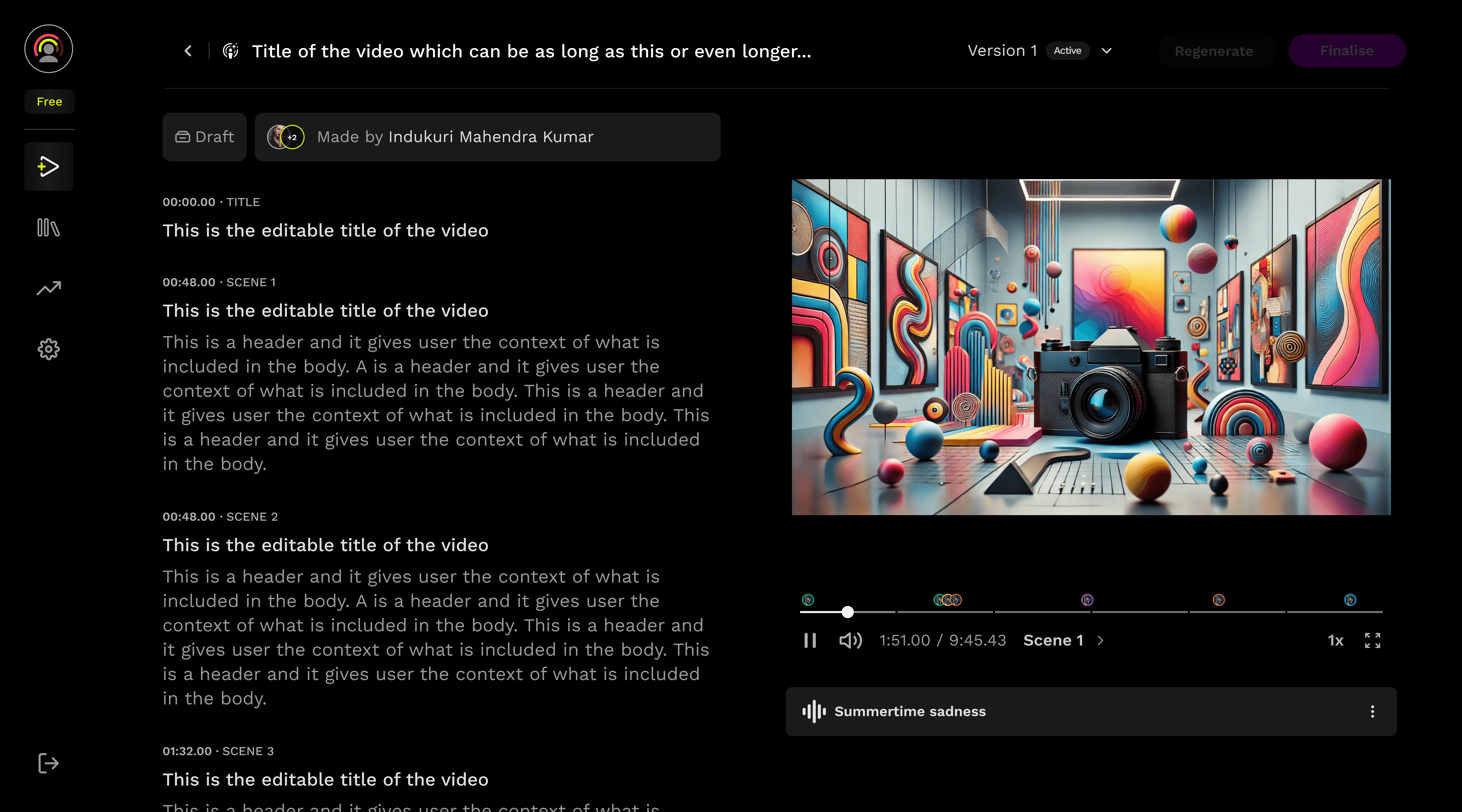
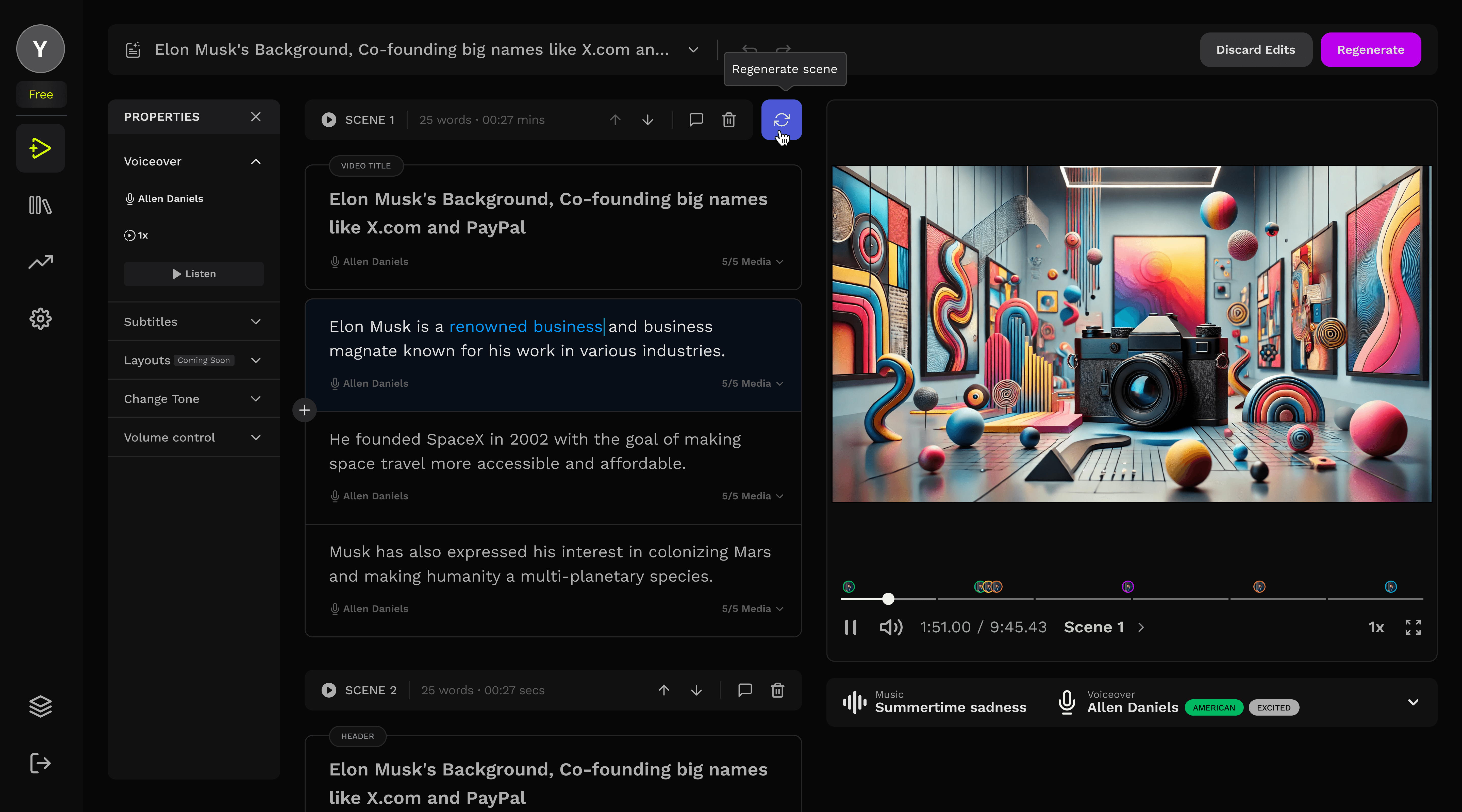
The script is divided into distinct scenes, each clearly marked with its corresponding timestamp.
2
The new seek bar also divides the entire timeline into scenes, matching the division on the content side... making navigation easier.
1
2
4
3
adding structure
3
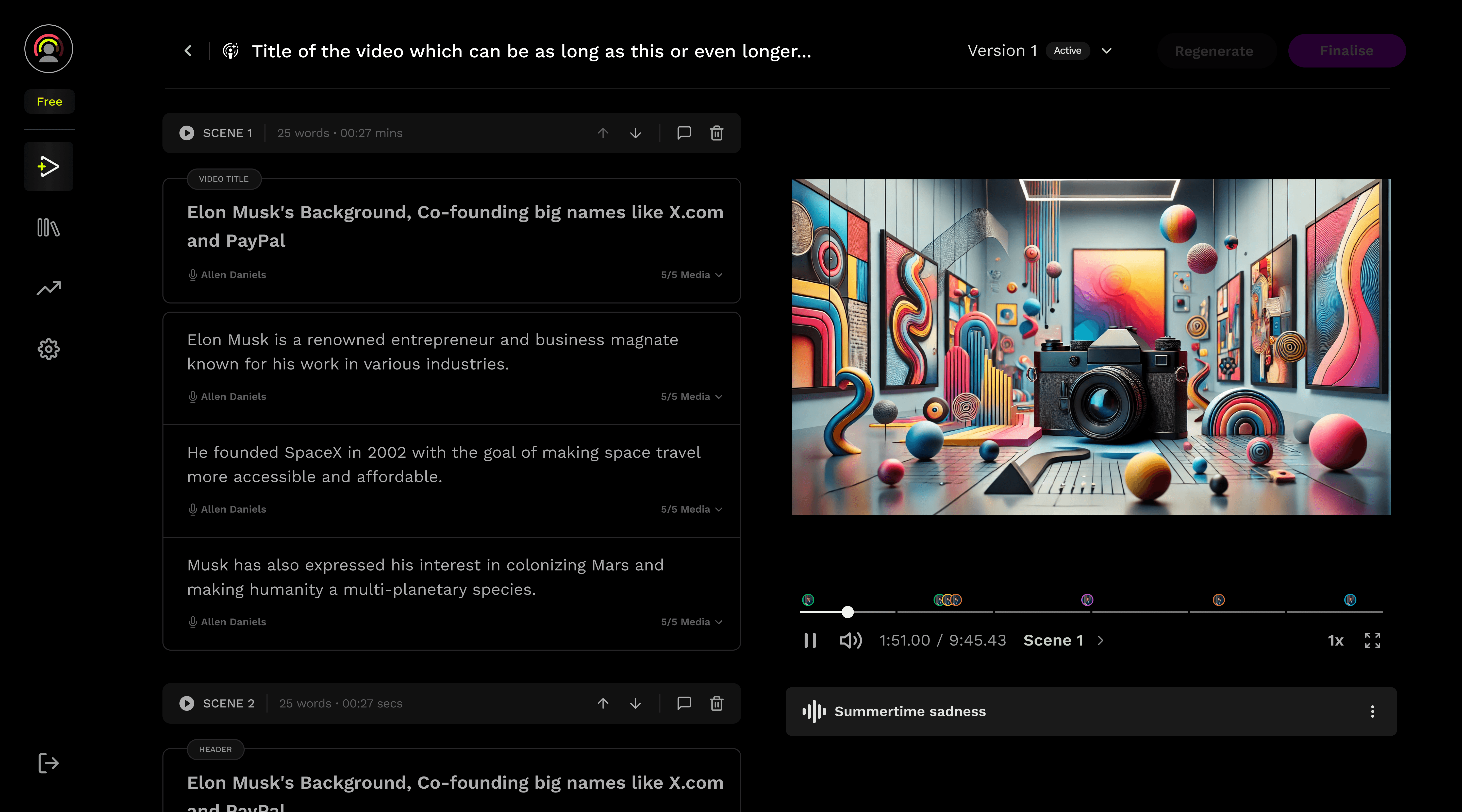
The scene functionality bar displays detailed information such as duration and word count. A play icon allows users to preview individual scenes, offering more precise control over video navigation
4
Voiceover and media assets are now embedded directly within each fragment, allowing instant access without the need to open the full scene properties
enhanced navigation
5
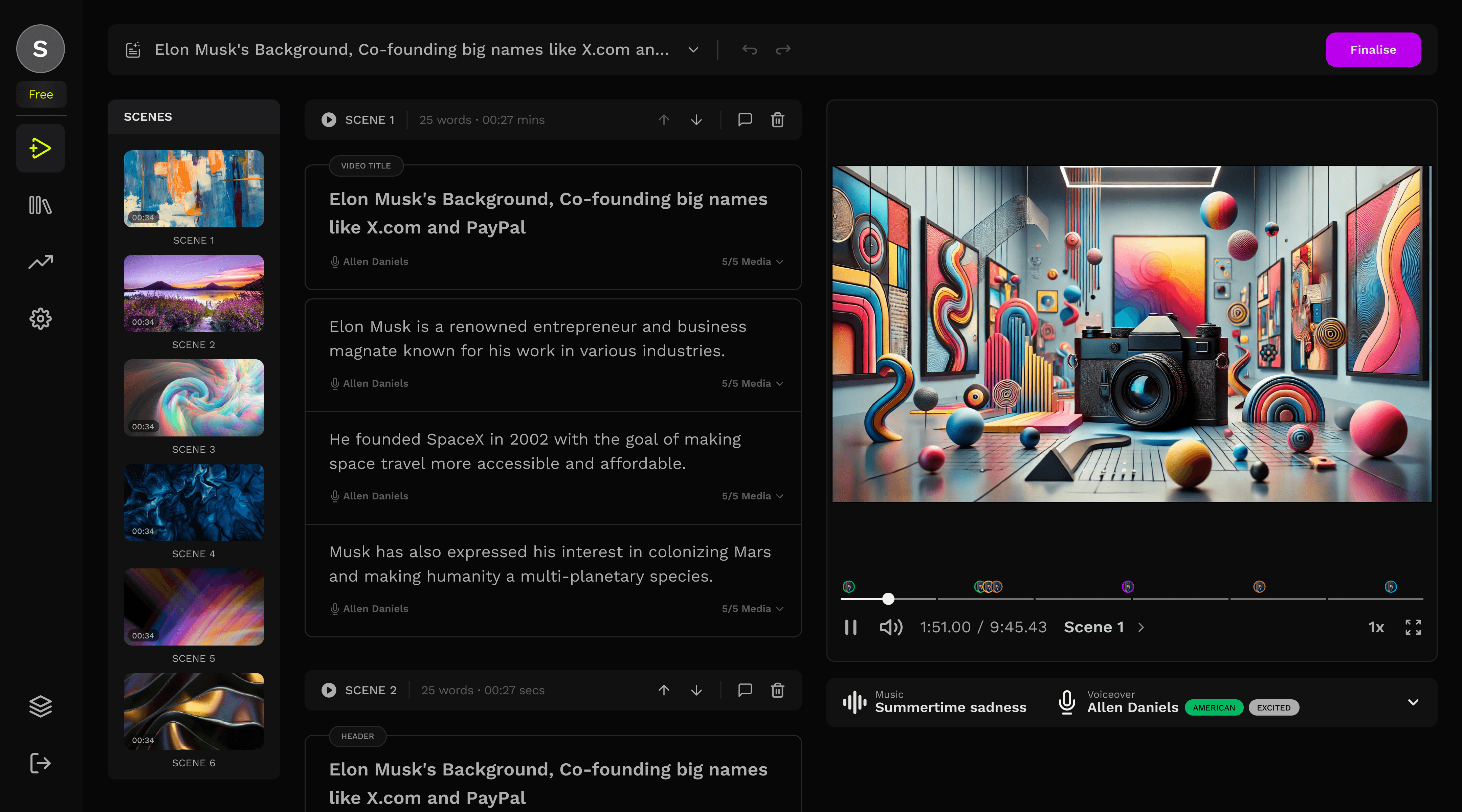
A new scene panel was introduced, significantly improving the efficiency of navigating between scenes.
5
6
scene level regeneration
6
Whenever the user makes an edit to a scene or fragment, a regeneration icon appears next to the scene functionality bar, indicating that changes have been made and the scene can be regenerated.
background regeneration
7
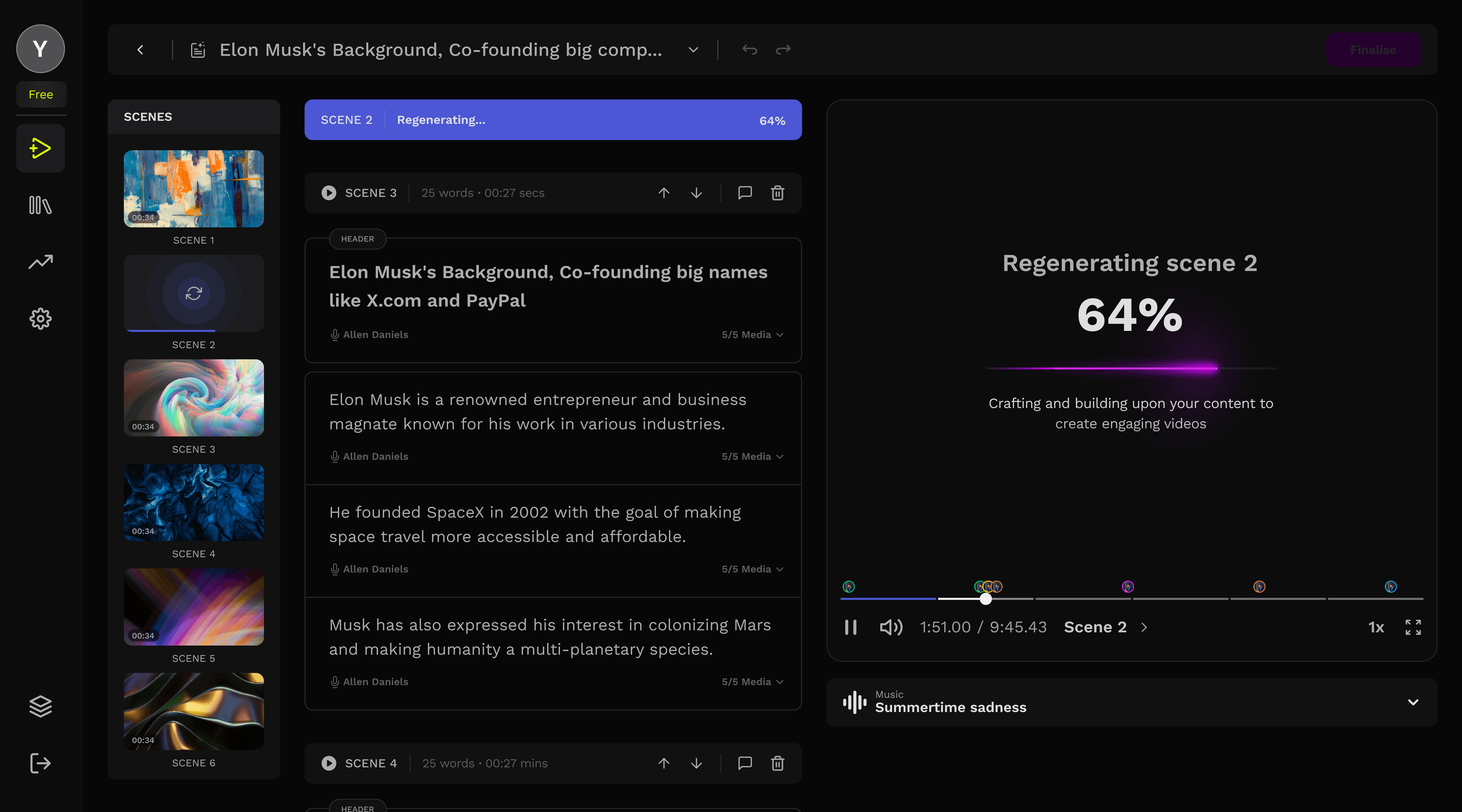
The scene blocks itself while getting regenerated in the background
You can see the status of the scene change as its details collapse.
7
06
Impact
Improvement in time to value, retention rate and decrease in drop offs, all
resulting in the NPS turning positive
mins
15
avg. time to value
Driven by faster editing workflows.
%
27
retention rate
D7 retention improved more than expected
%
41
drop offs
Drop-off at editing stage reduced by ~22%
07
Reflections
The idle time shifts from frustration to invisible, where users can make edits in parallel while the other segment/scenes were being regenerated.
Architectural thinking
Sometimes the solution isn't optimizing existing systems but it's fundamentally restructuring the approach
Perceived vs. actual time
Background processing transforms waiting from frustration to productivity, even when total time remains constant
The end

Yashvardhan Bhardwaj
Senior User Experience Designer
Designed with ❤️, Logic, and AI.
Copyright ©2026. All rights reserved.