
Case Study
Rizzle: Video creation platform
Reducing user drop-off by 63% via scene-based architecture
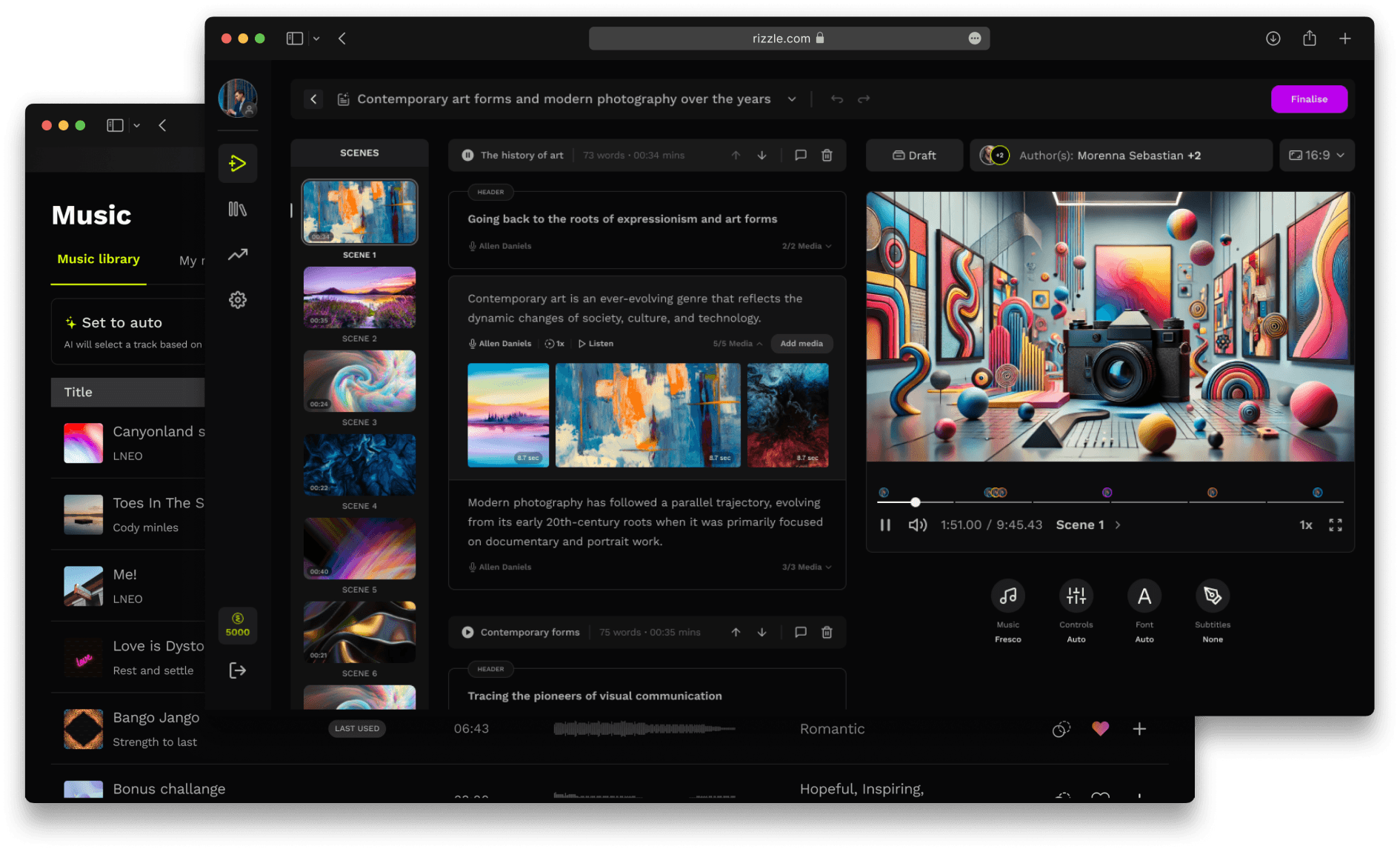

AT A GLANCE
executive summary
The Challenge: Rizzle’s AI video generation was impressive but rigid. Users had to regenerate the entire video (2–5 mins wait time) to fix minor errors. This latency caused high frustration and funnel abandonment during the review phase.
My Role: Lead Product Designer (Strategy, UI/UX, Interaction).
The Outcome: We moved from a monolithic editing flow to a "Scene-Based" architecture, introducing pseudo generation reducing editing time by 63% and increasing retention by 47%.
PROLOGUE
what is rizzle?
Rizzle is an AI-driven video creation platform designed to make video production fast, simple, and accessible to everyone, regardless of their technical skills. Our vision is to leverage AI at every stage of the video creation process, democratizing content creation.
THE VISION
making video production fast, simple, and accessible
At its core, Rizzle aims to solve key challenges in video creation, which are:
Time consuming editing. Reduce the hours (or even days) spent on video production.
High skill requirement. Eliminate the need for complex editing software expertise.
Consistency in quality. Ensure consistently high quality videos with personal customisation.
Expensive. Lower the financial barriers associated with professional video production (software, licensing, etc.)
AT A GLANCE
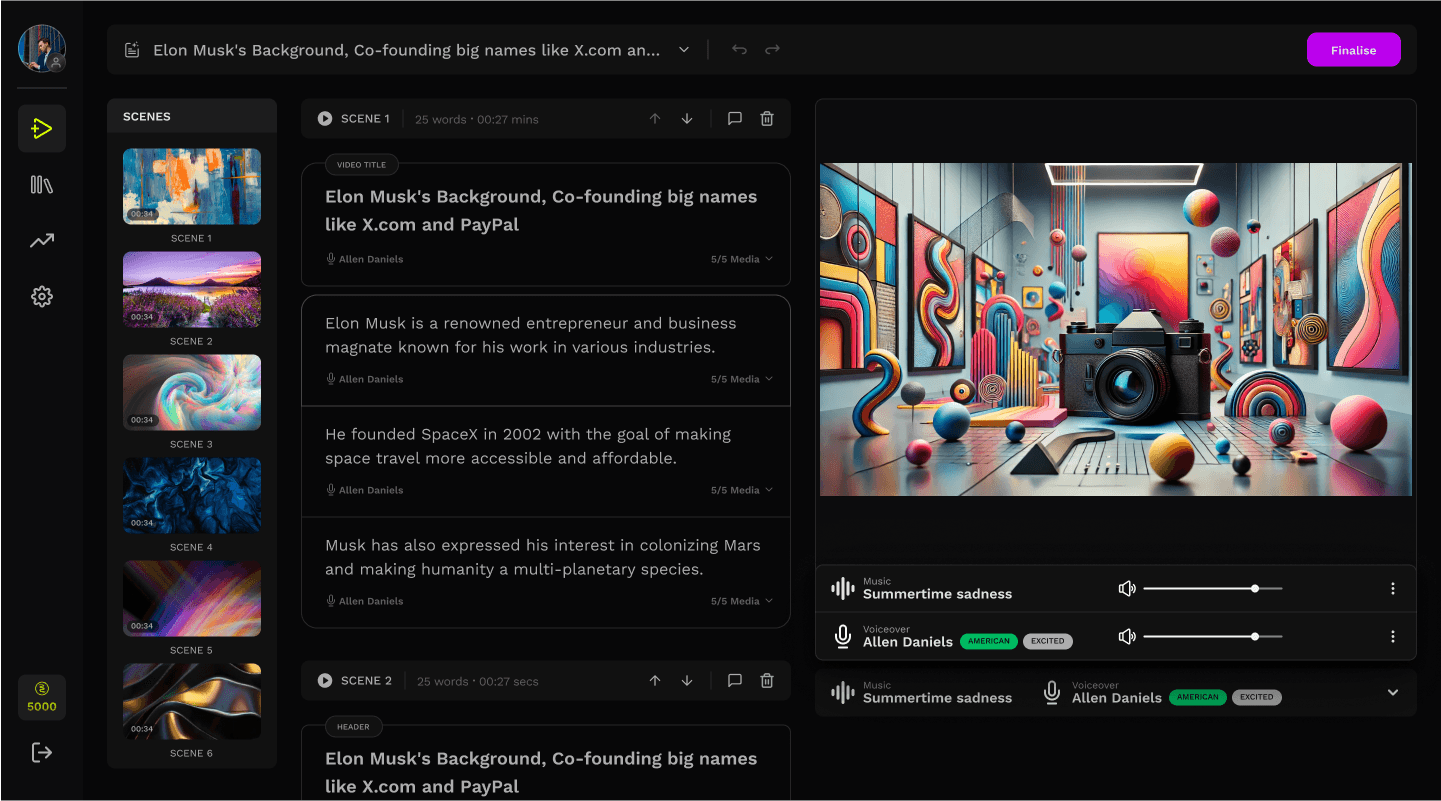
snapshots of what we built
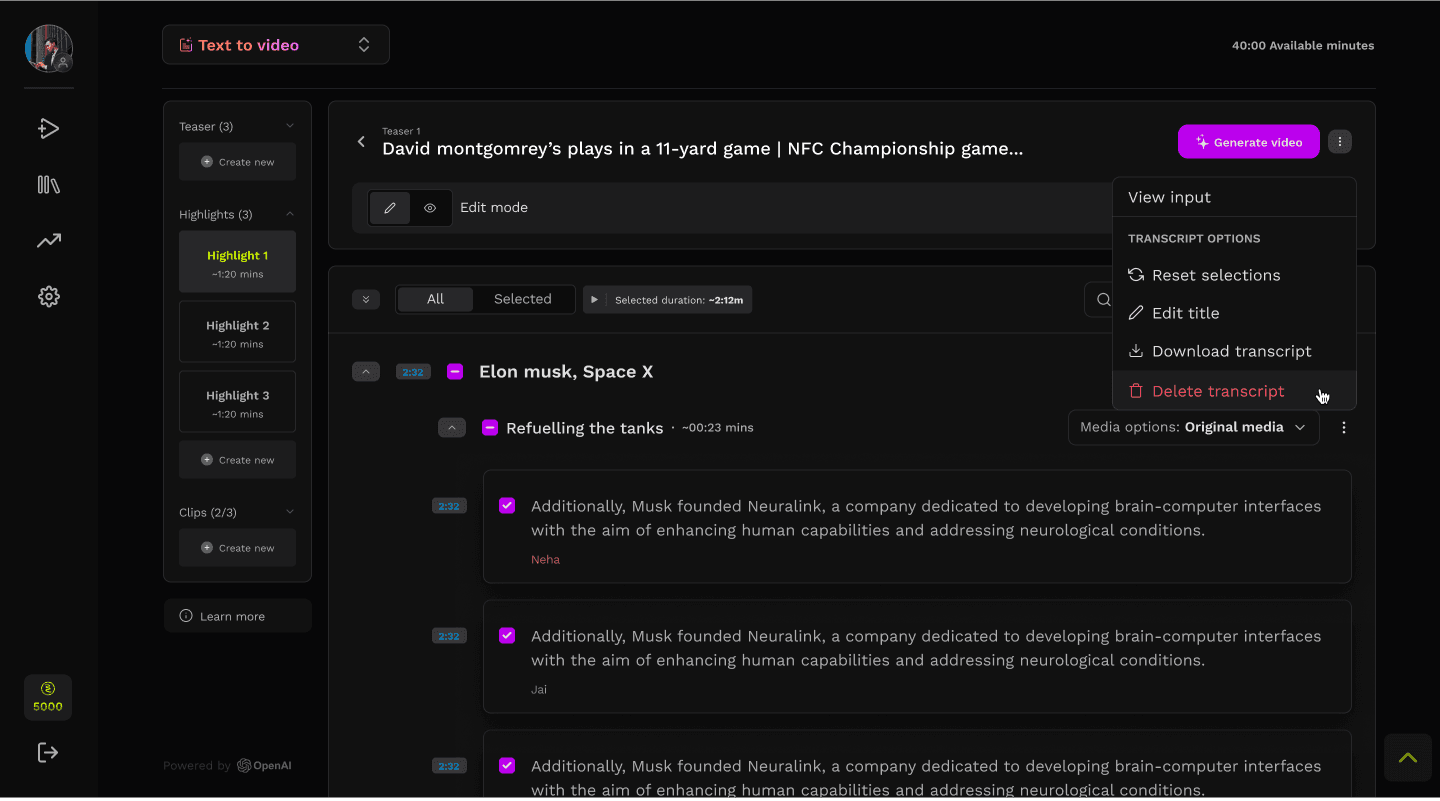
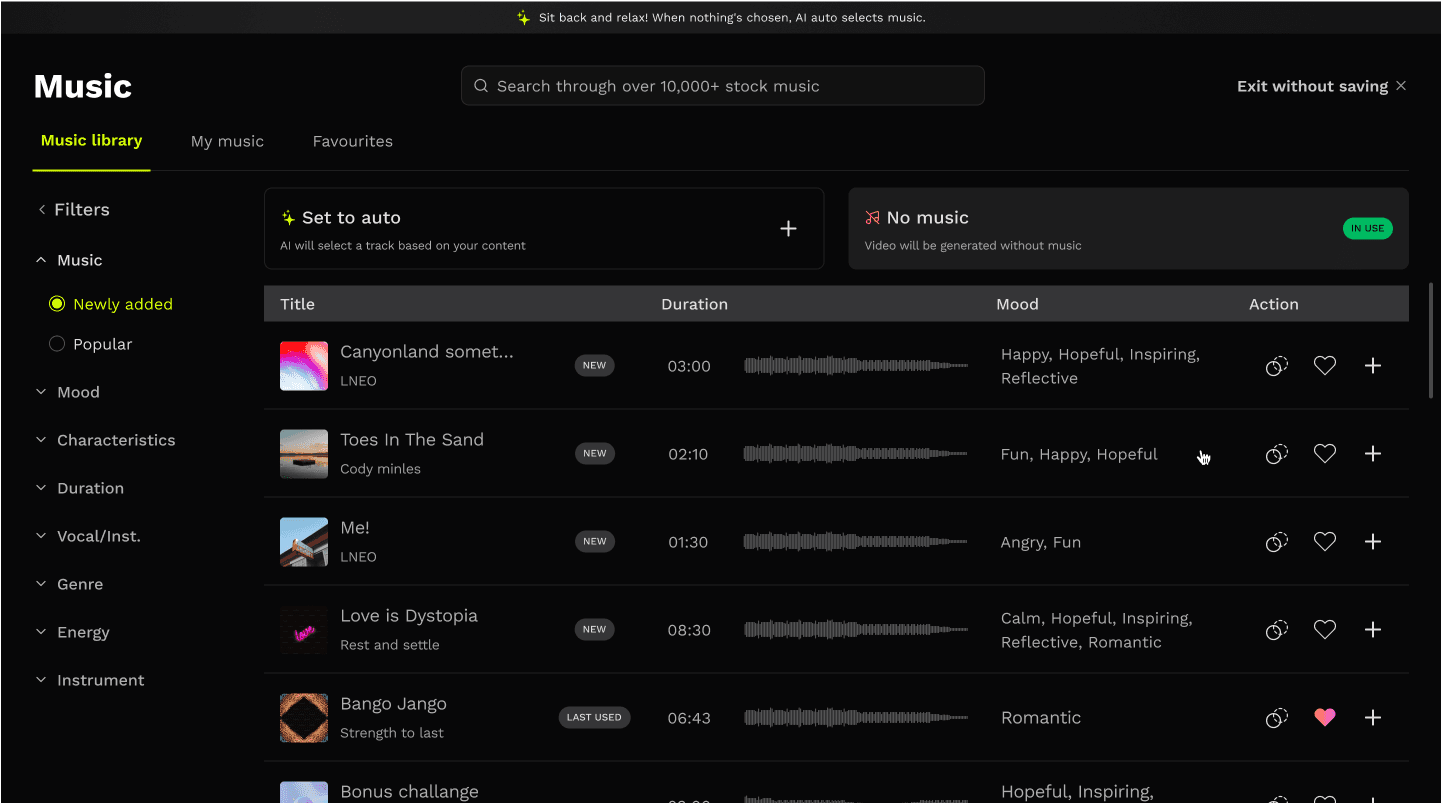
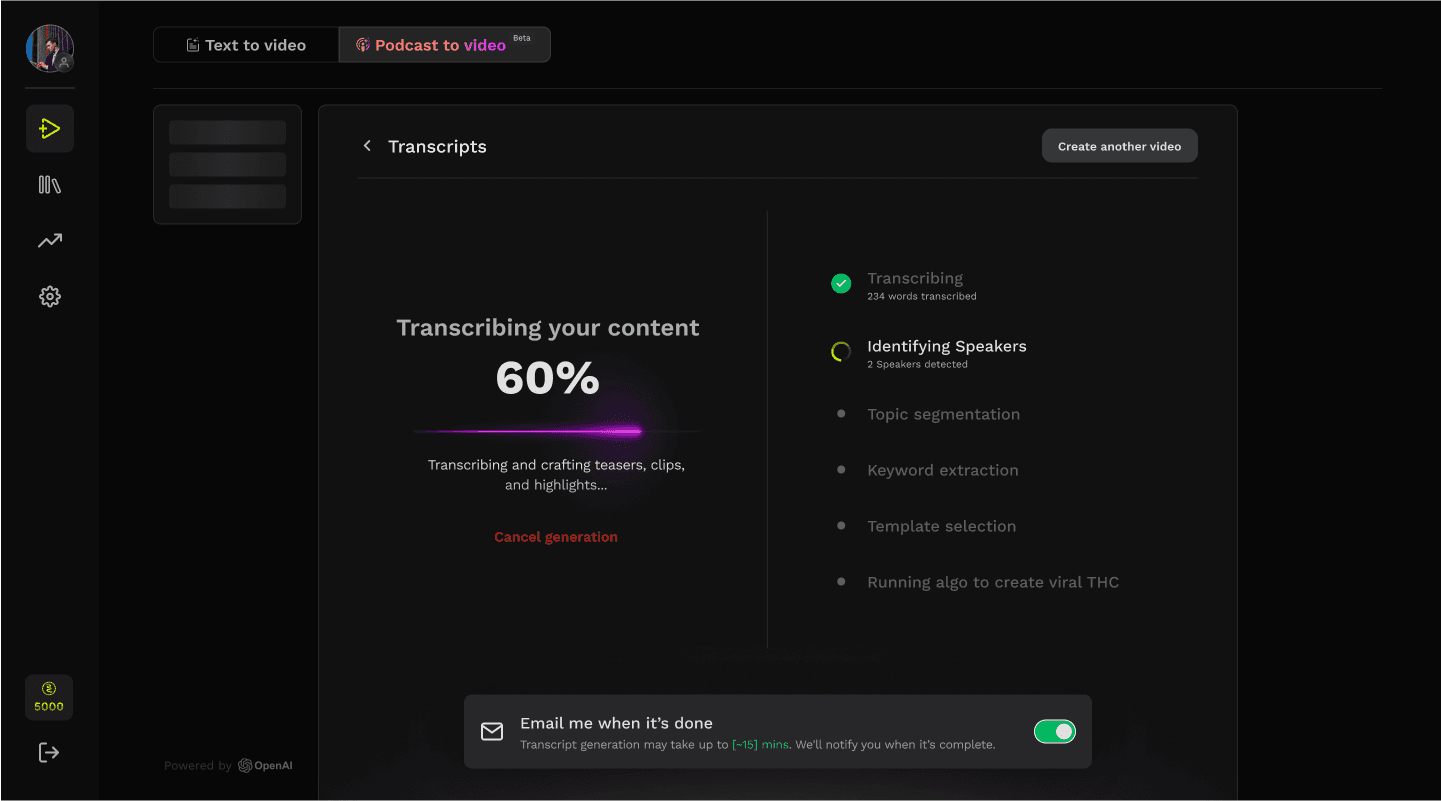
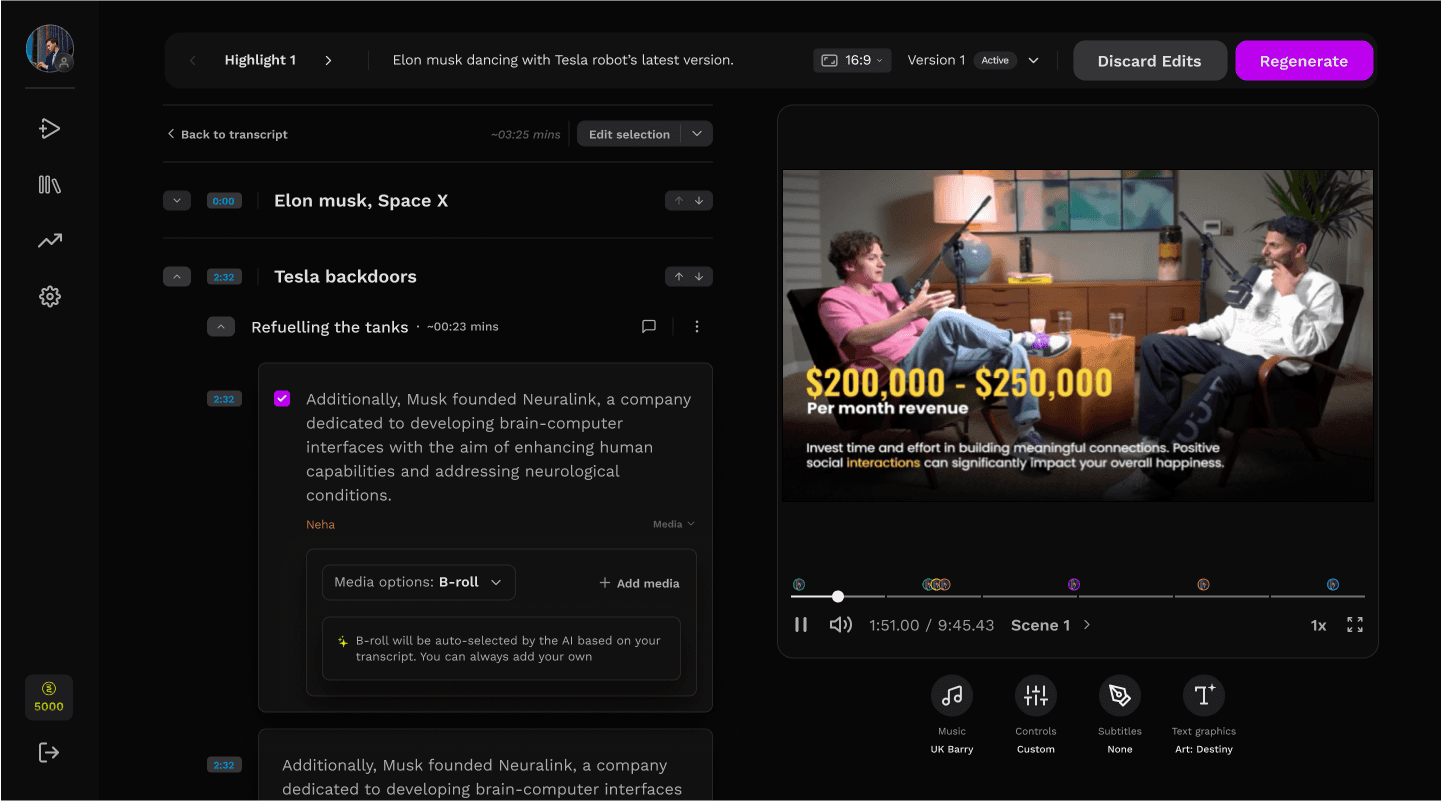
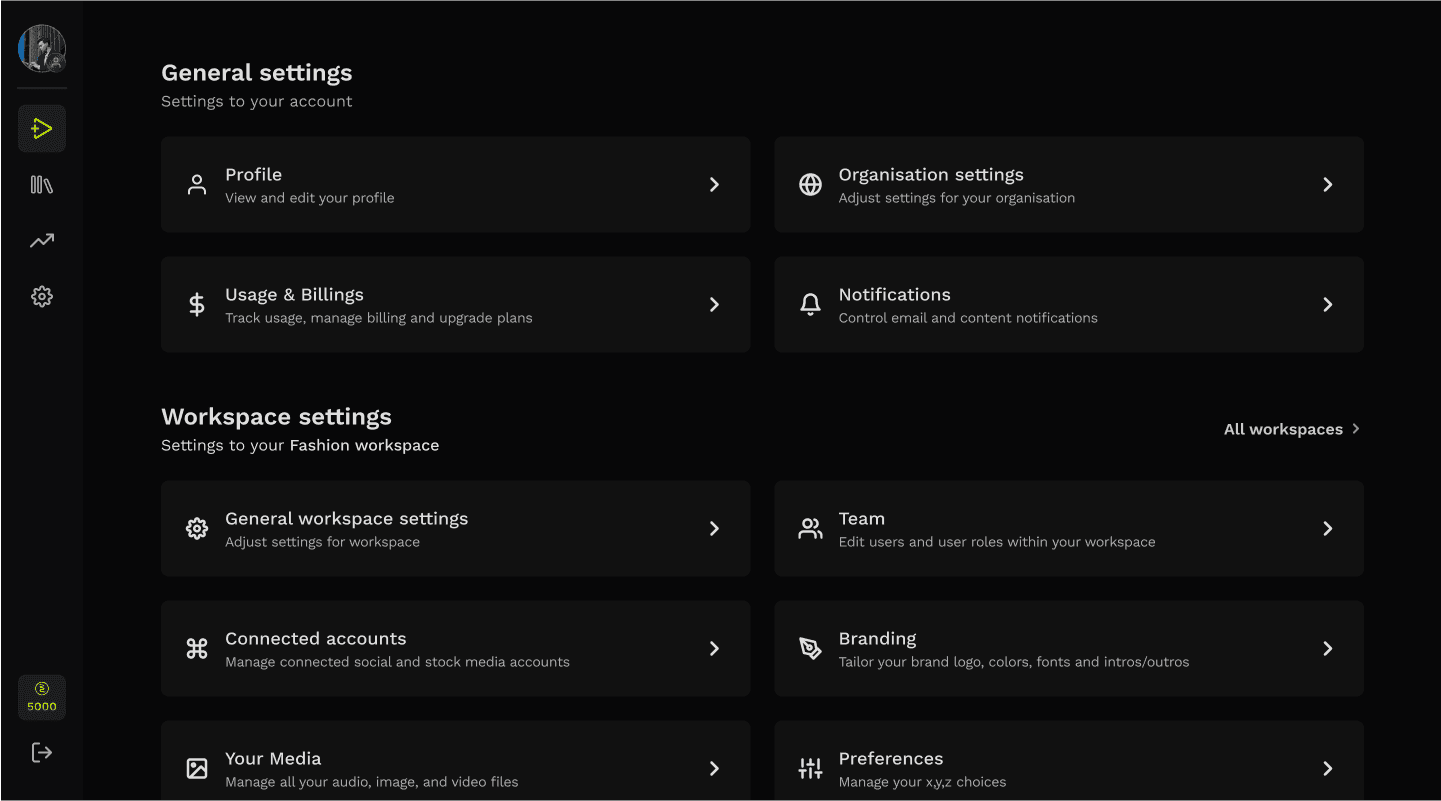
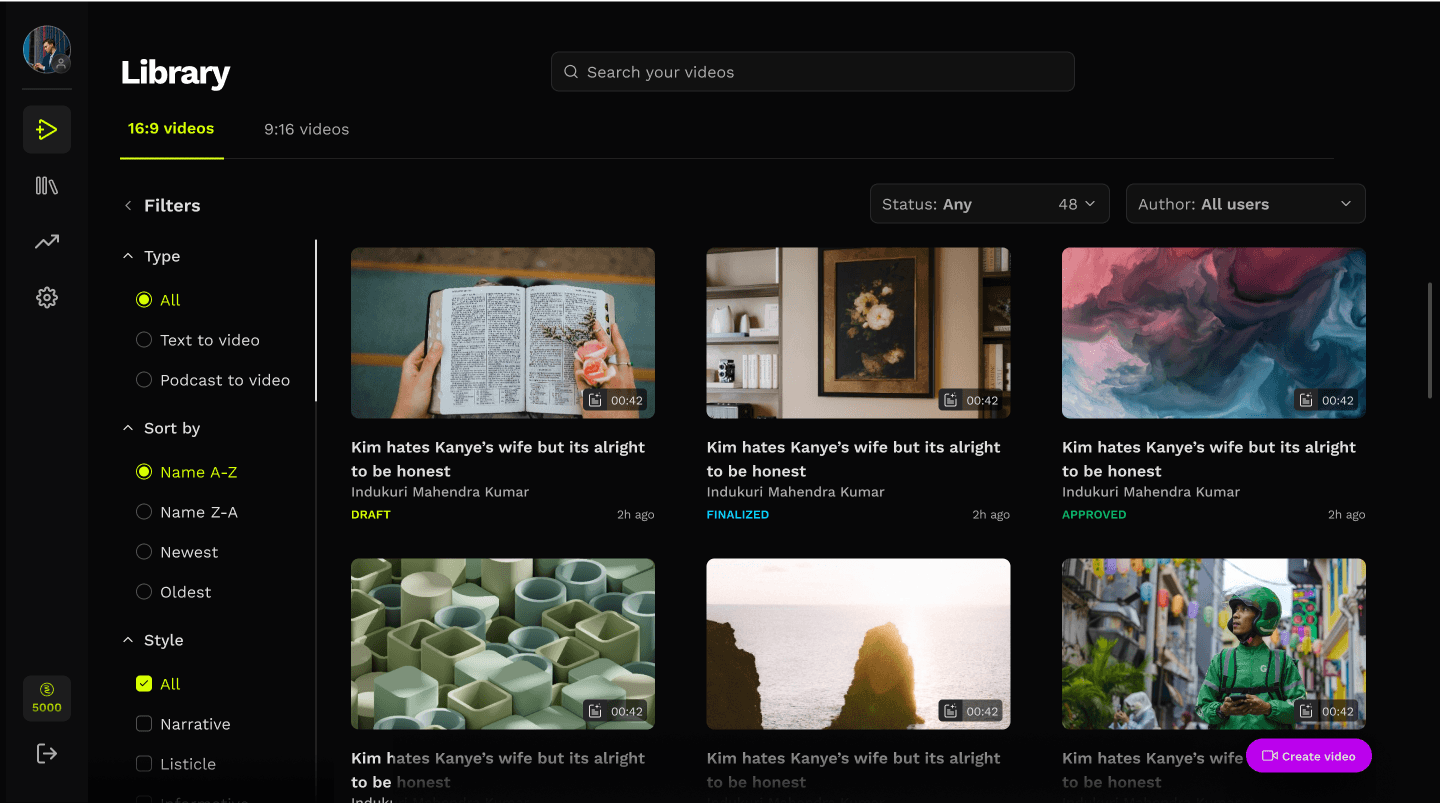

UNDERSTANDING
the creation flow
The video creation flow had to be seamless and straight forward.


FOCUS
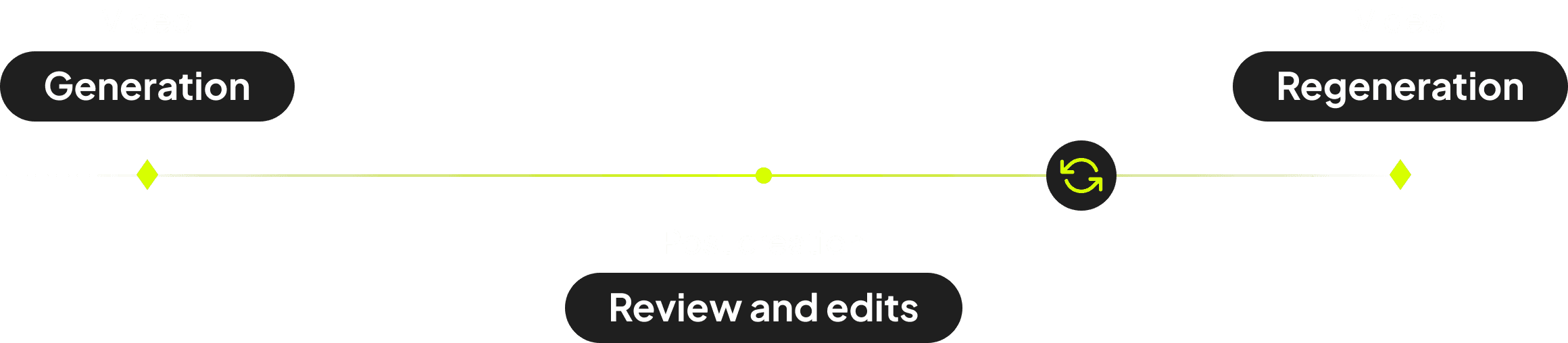
review, edit and regenerate
Although every step of the flow was meticulously analyzed to identify potential user frustrations and areas for improvement, this case study will specifically focus on the review and editing phase.
PAIN POINTS
funnel abandonment during the review phase
While users loved the AI-generated content, personalization was key therefore users were spending a considerable amount of time in reviewing and updating the content to their liking.
Users had to regenerate the entire video (5–15 mins wait time) to fix minor errors. This latency caused high frustration and funnel abandonment during the review phase.
Key Insight: Users averaged 3 full regeneration cycles before finalizing a video.

Although compared to a conventional video creation process, Rizzle drastically reduced video creation time, users still percieved one hour as excessive for AI-assisted video creation.
DEFINING
the problem statement
We set out to understand how users behave and what challenges they face during the review and regeneration stages, based on the problem statement below.
Problem Statement 1
Reduce overall time spent creating the videos
The considerable task was to scrutinize all possible elements that might reduce the overall duration required for video creation.
Problem Statement 2
Improve review and editing user experience
Identify strategies to enhance user interactions, enabling users to review and finalize video content in the shortest possible timeframe.
Problem Statement 3
Improve creation flexibility without compromising on ‘ease of use’
Incorporating extra features into the process, while ensuring it remains user-friendly and does not become a difficult task.
EXPLORING SOLUTIONS
what didn't work
We initially investigated optimizing the backend video creation pipeline to facilitate faster generations. However, engineering confirmed that significant speed improvement in generation were unlikely in the short term.
Other approaches that looked promising but didn't work

Lowering video quality during edits. this could have sped up regeneration but would have negatively impacted the user experience during the crucial editing phase.

Limiting editing options. Restricting the types of edits users could make would have reduced regeneration complexity but stifled creativity and personalisation.

Real time dynamic video edits. making changes on the video itself would have been the best way to go forward with but the tech limitations at that point made us take a different approach keeping this one for the future.
BREAKTHROUGH
Microsegments. If we couldn't make the whole video generate faster, we had to stop generating the whole video. I proposed a structural shift: Breaking the entire video into isolated "Scenes" (Micro-segments).
Model - an architectural shift that decoupled the front-end user experience from the back-end processing bottleneck. By allowing users to interact with the video as isolated microsegments, we were able to transition the mandatory 5-15 minute wait time from a blocking operation (frustration) to a background operation (parallel editing).
KEY UX DECISIONS
enhancing the user experience
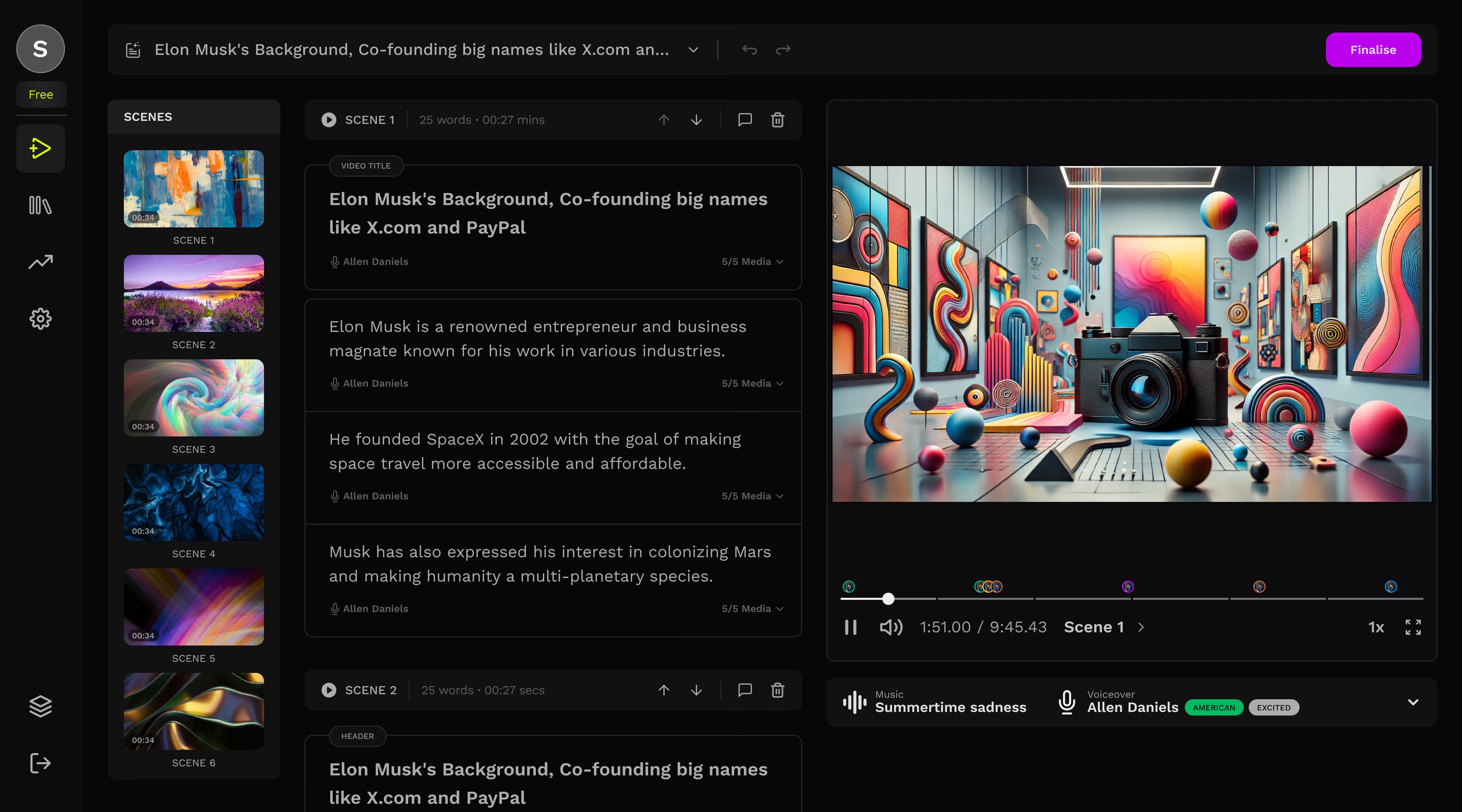
Visual Segmentation: I redesigned the timeline to visually break content into distinct scenes based on context and timestamps. This aligned the mental model of "editing" with the technical model of "processing."
Isolated Regeneration: Users can now trigger a regeneration for a specific 5-second scene. This runs in the background, allowing the user to keep editing Scene 2 while Scene 1 processes.
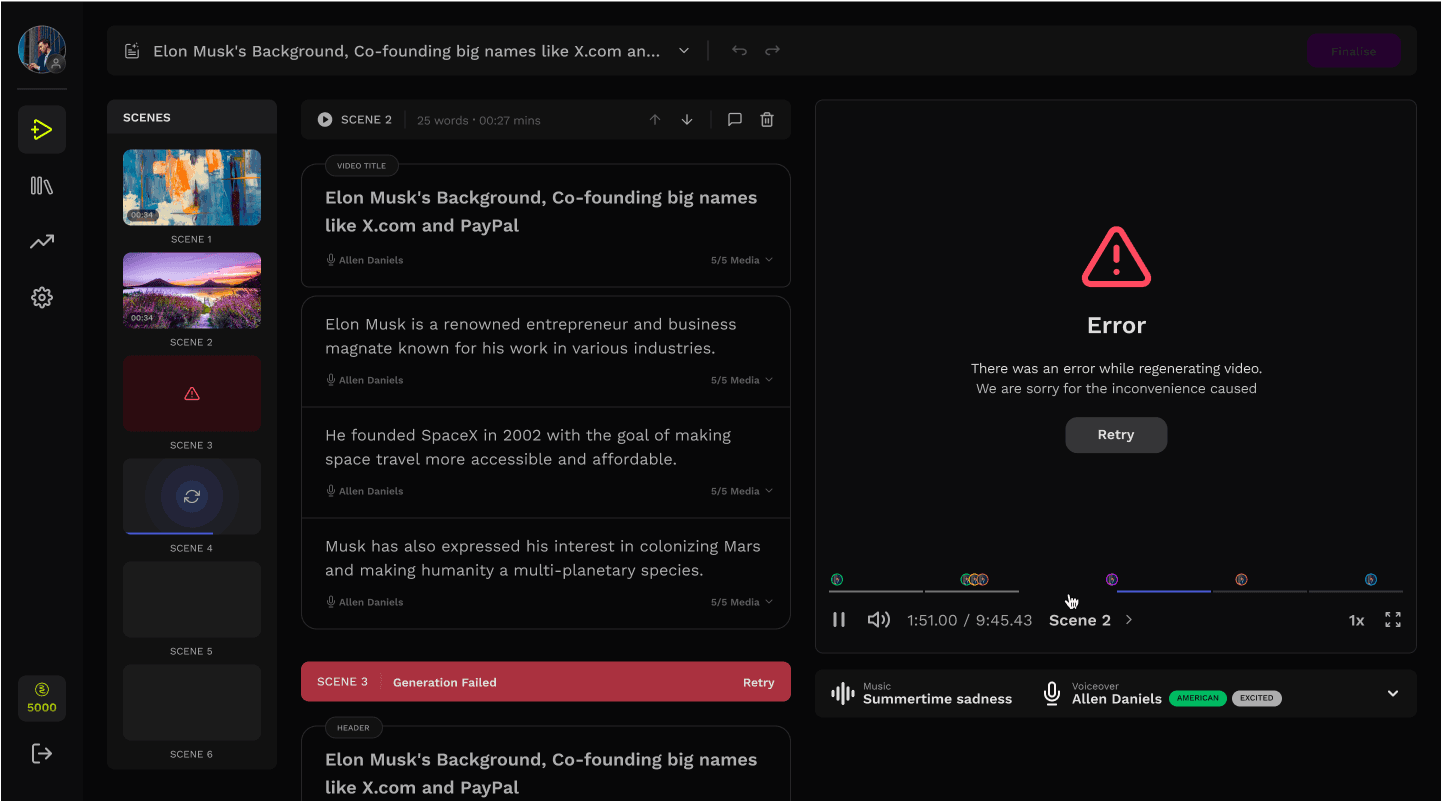
Status Communication: We introduced granular status states (Locked, Processing, Ready) directly on the scene card, removing the need for a global full-screen loader.
 AFTER
AFTER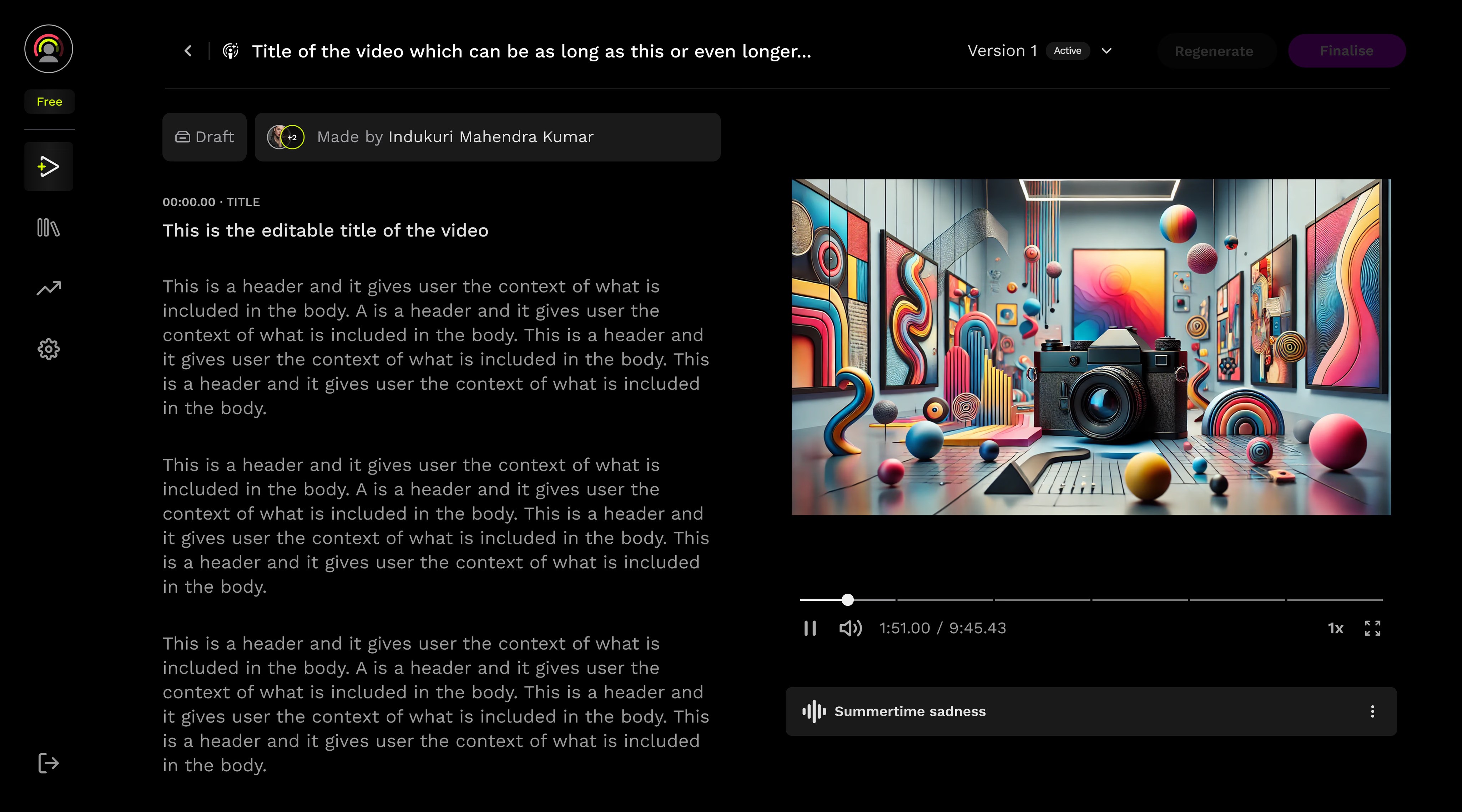 BEFORE
THE PROCESS
stitching pieces one step at a time
The following improvements were introduced to provide users with a smoother experience while significantly cutting down the total time spent on editing, reviewing, and regeneration.
1
What we started with. We looked at this screen to understand what made the video creation process so challenging. During the interviews, we could see the confusion set in as they tried to navigate through the steps, often feeling stuck and unsure of what to do next.
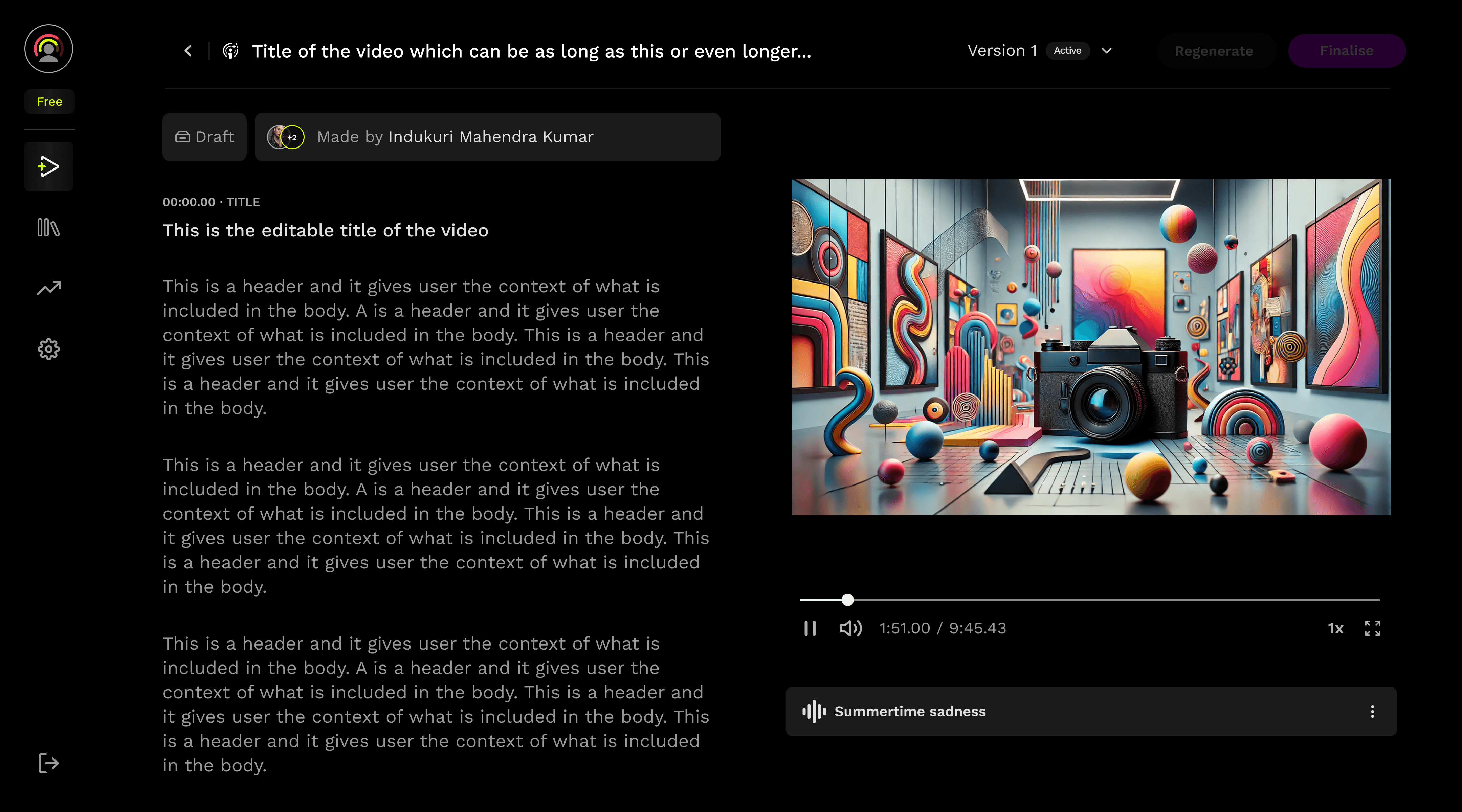
This is the initial screen which became our starting point. Although it served it's purpose but it wasn't intuitive and difficult to navigate. We were looking for ways to make the information less scattered.
2
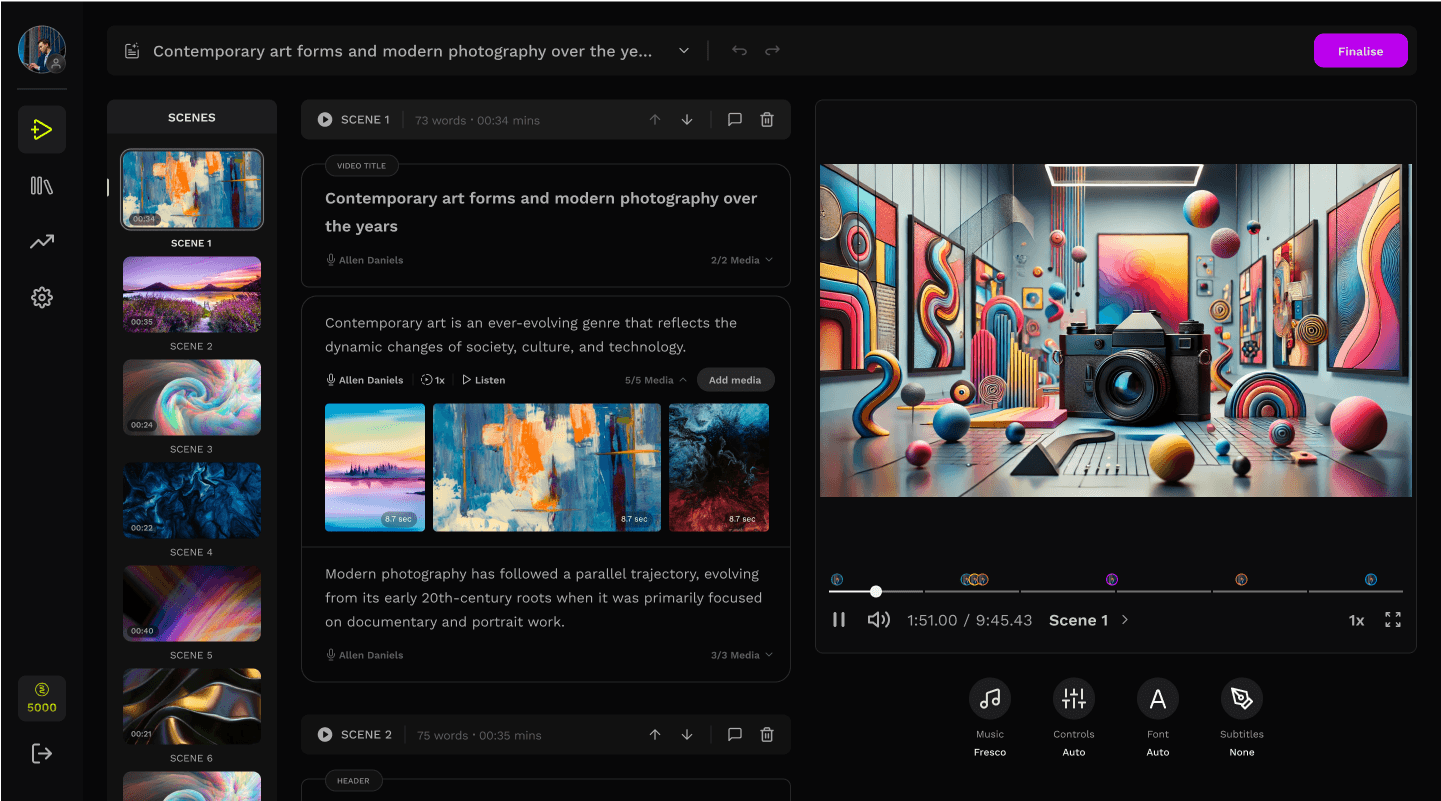
Breaking down the content. The first and most important part of the solution was breaking the content into scenes. This gave users control over the structure of their video, allowing them to organize it based on the content and timestamps, and clearly see where each scene begins.
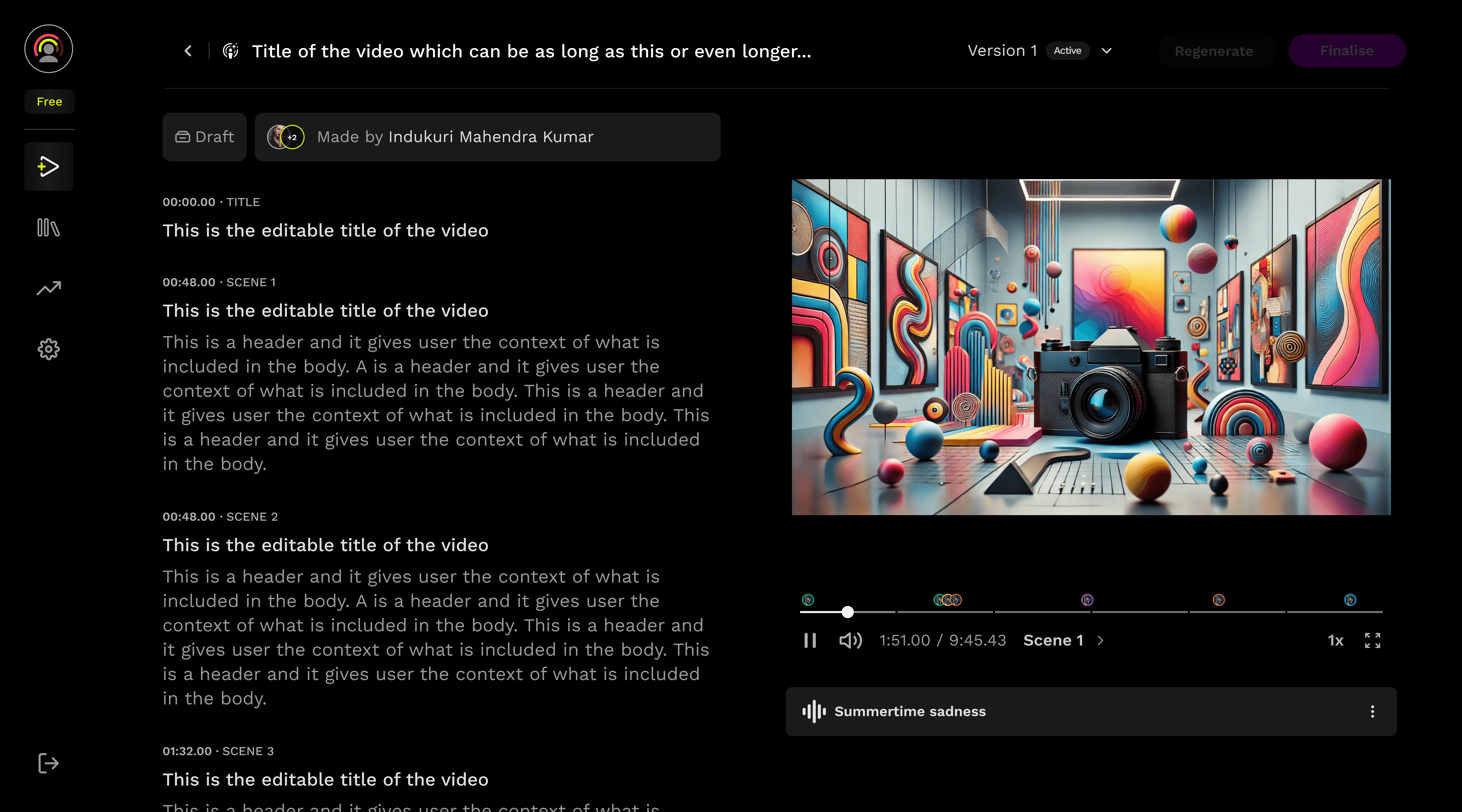
The new seekbar breakdowns the entire video into scenes for better navigation
The video has been segmented into distinct scenes, with every scene clearly marked by its corresponding timestamp.
3
Granular controls. The scenes were further subdivided into fragments, with enhanced controls introduced - such as adding or deleting scenes, as well as seamlessly shifting between scenes.
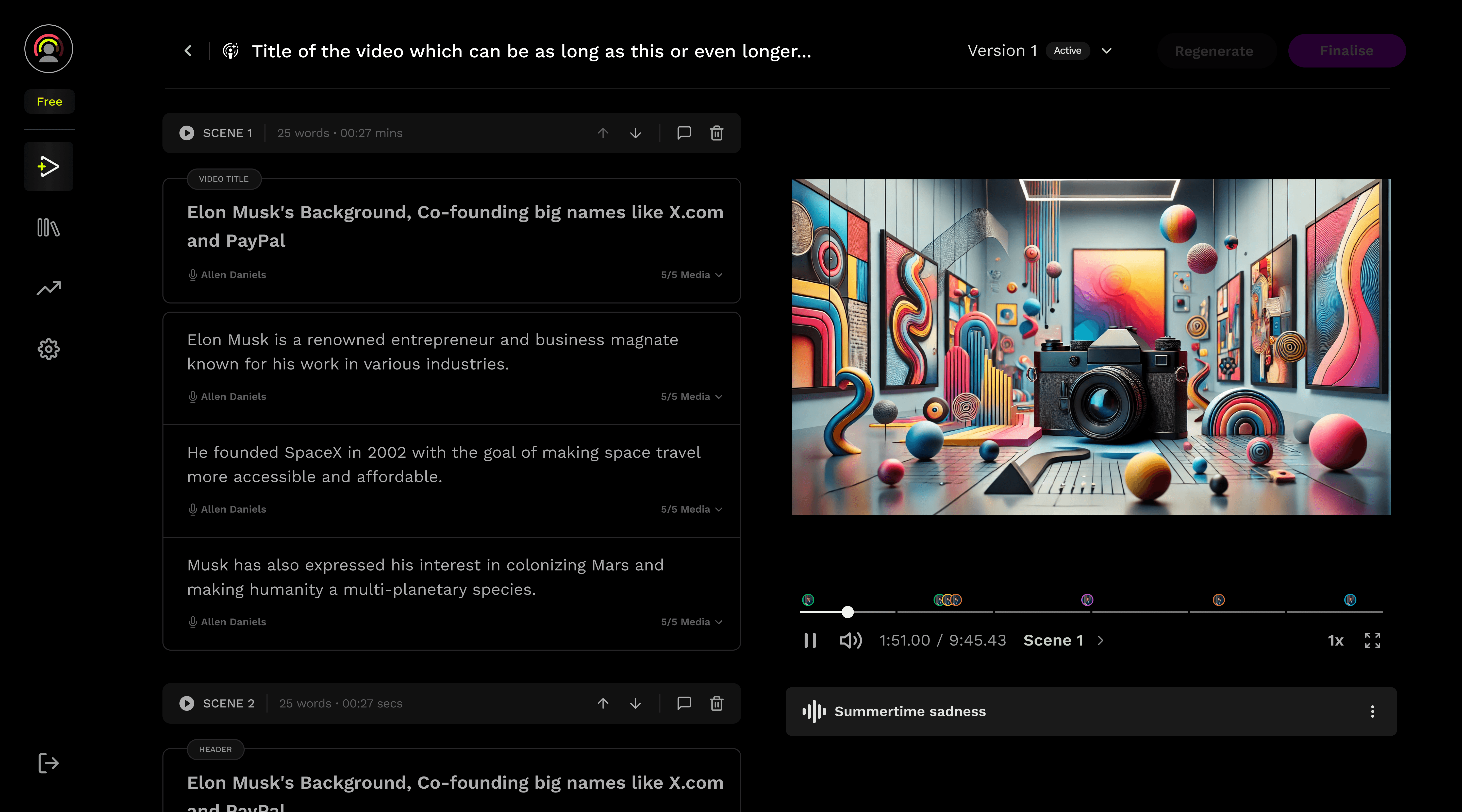
The scene functionality bar provides users with precise information about a scene’s duration and word count. The play icon enables playback of a specific scene, giving users focused control over video navigation.
Voiceover and media assets are now displayed directly within each fragment, providing immediate access that previously required clicking on the entire scene.
4
Enhanced navigation. With some videos comprising fifty or more scenes, efficient navigation becomes crucial. It’s important to implement features that simplify scene browsing, allowing users to quickly locate and transition to their desired scene.
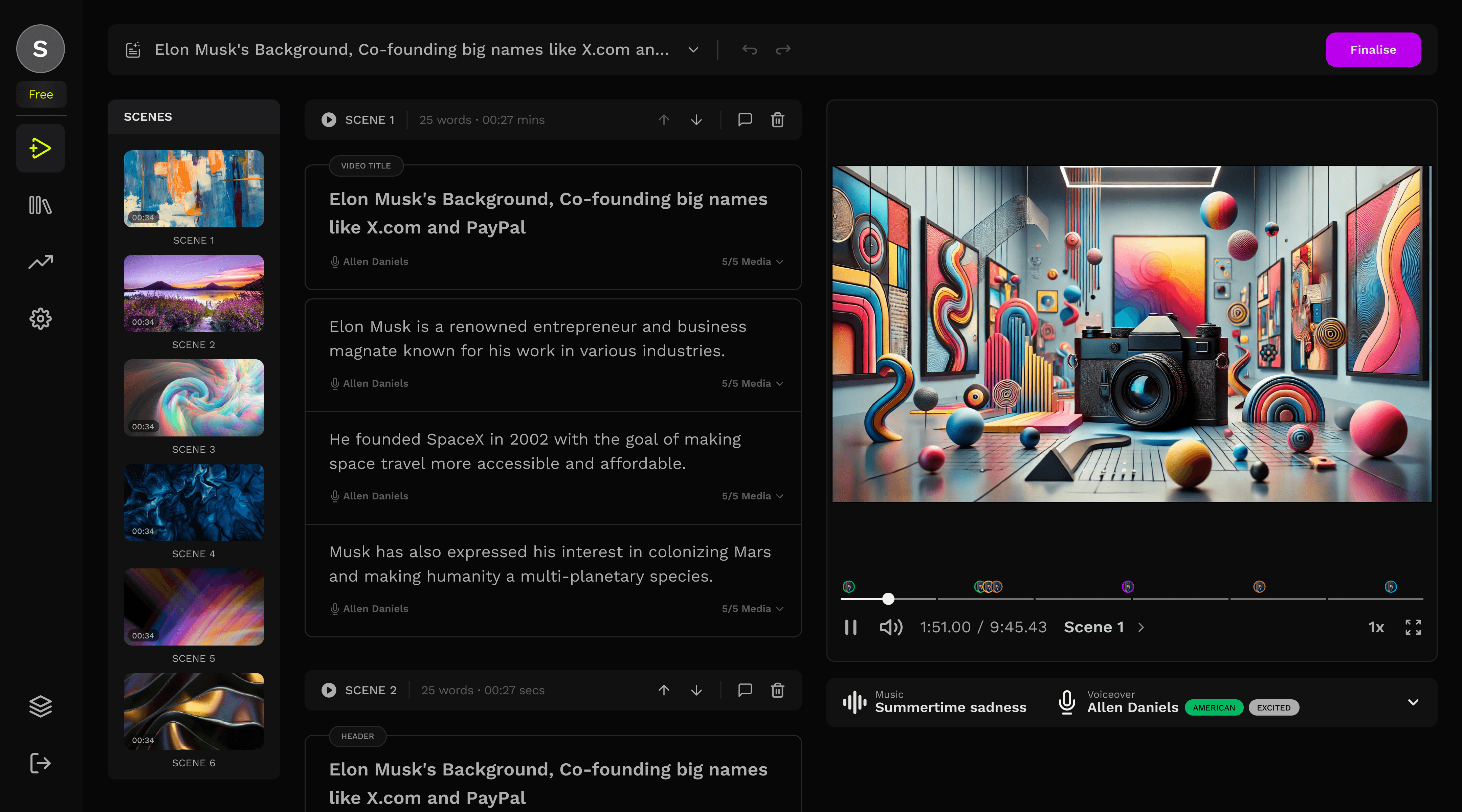
A new scene panel was introduced, significantly improving the efficiency of navigating between scenes.
5
Scene level Regeneration. Although the total time required remained unchanged, this approach allowed the system to regenerate scenes in the background while the user works on the next scene, replacing the previous idle waiting period during full video regeneration.

As soon as the user makes an edit to a scene or fragment, a regeneration icon appears next to the scene functionality bar, indicating that changes have been made and the scene is ready to be regenerated.
6
Background Regeneration: When the user selects the regenerate icon, the scene automatically collapses to block further edits as it regenerates in the background, enabling simultaneous editing elsewhere in the video.
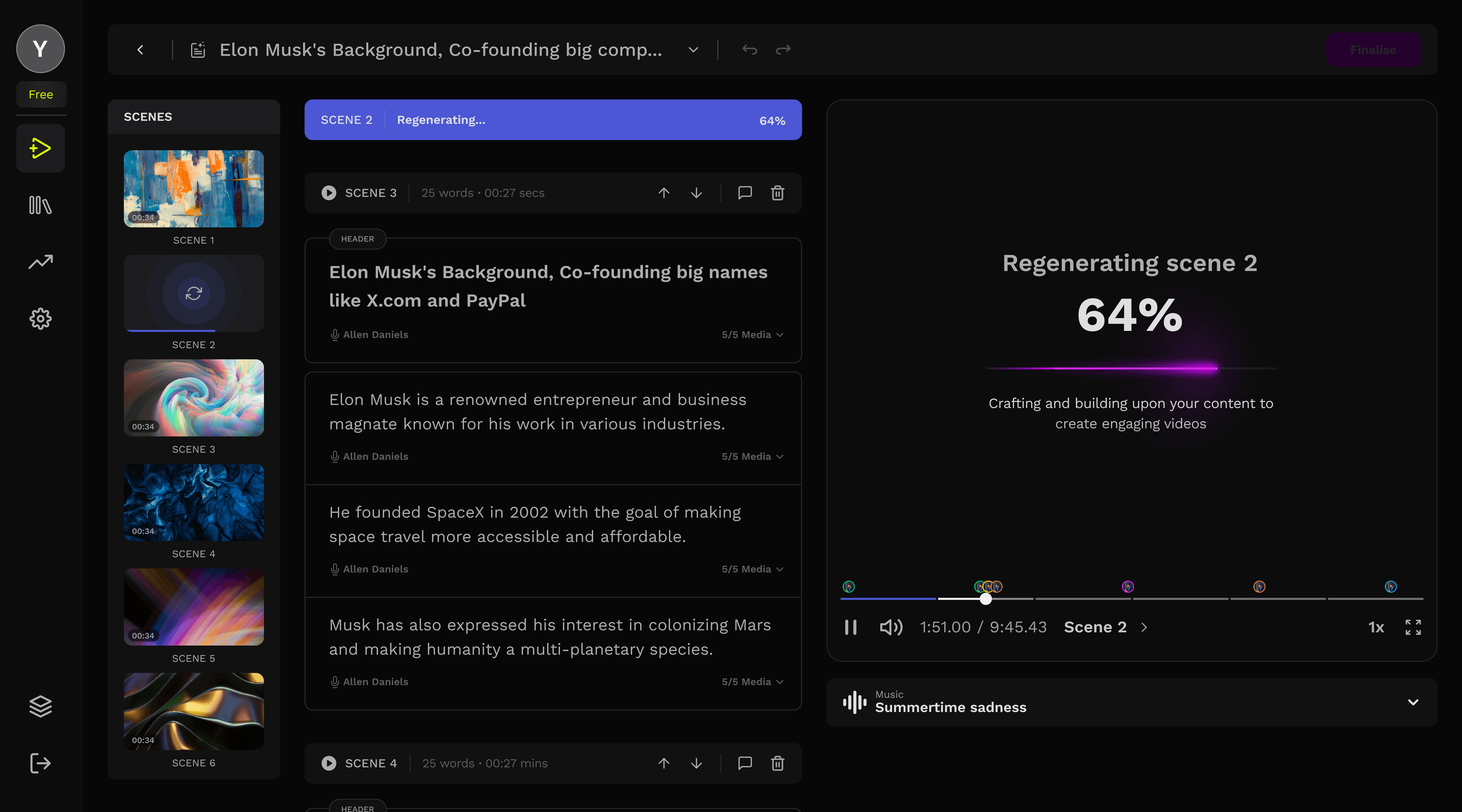
The scene blocks itself while getting regenerated in the background
STEP FURTHER
scene level preferences
With the content being changed into scenes and scenes be treated as single units, we could now include preferences on a scene level. Shifting the paradigm from 'One set of preference for entire video'
Every scene could have their own customizable preferences.

When the user clicks on a scene to make changes, the scene panel transforms into a properties panel dedicated to that specific scene.
RESULTS AND LEARNINGS
Improvements
63%
reduction in video editing time directly contributing to user satisfaction.
47%
improvement in user retention, resulting in a 15% uplift in Monthly Active Users (MAU) who successfully exported a video.
98%
increase in first-video completion rate (finalsing the video) for new users in the editor.
MORE WORK
MORE WORK
Check out my other projects
Check out my other projects
Case Study
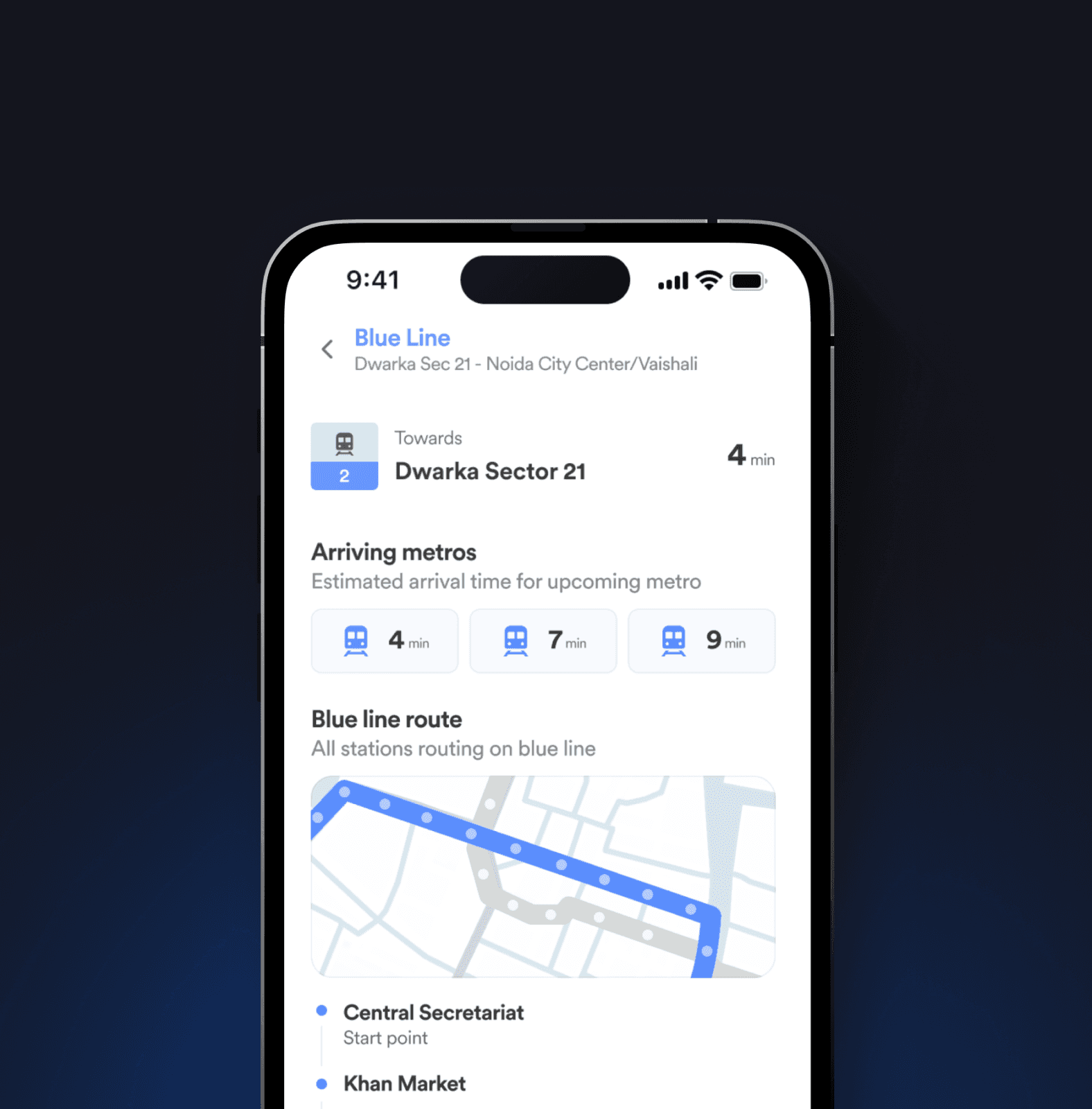
Metroute - Daily commute app
A dedicated mobile app for metro commuters, focusing on simplified navigation, advanced ticketing, real-time occupancy tracking and enhanced security
Design System
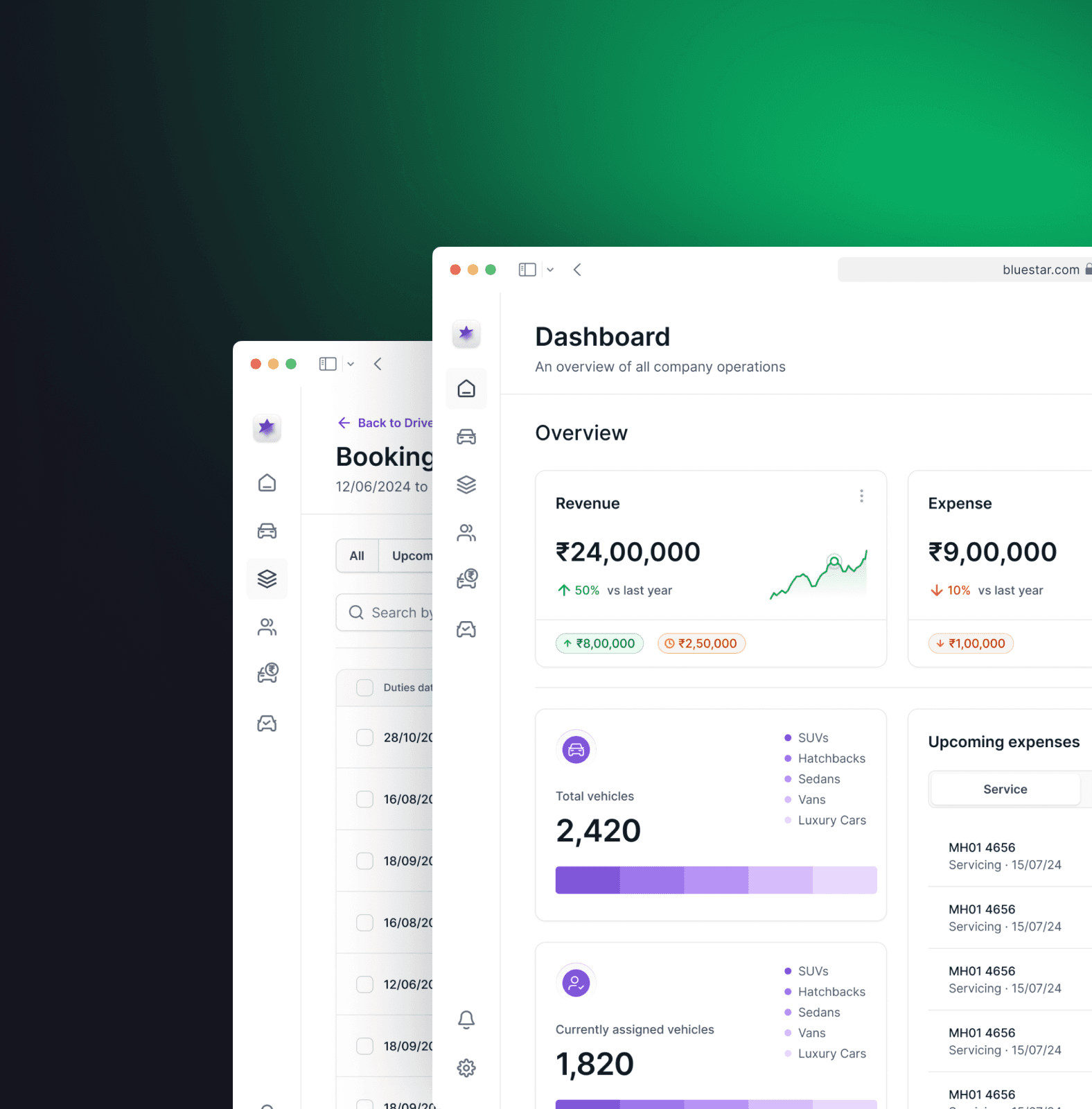
Bluestar - Fleet Management Software
An all-in-one digital platform that streamlines vehicle bookings, driver allocation, expense tracking, payroll, and invoicing to optimize fleet operations efficiently.
An all-in-one digital platform that streamlines vehicle bookings, driver allocation, expense tracking, payroll, and invoicing to optimize fleet operations efficiently.
hello
hola
salut
prego
namaste
ni hao
olá
ciao
s̄wạs̄dī
hallo

Hey, thanks for scrolling all the way till here! Let's have a chat? I am open to collaboration and opportunities.
Just say hi!
yashvardhanbhardwaj@outlook.com
YASHVARDHAN
Bhardwaj
Copyrights 2025. All rights & wrongs reserved
hello
hola
salut
prego
namaste
ni hao
olá
ciao
s̄wạs̄dī
hallo
Hey, thanks for scrolling all the way till here! Let's have a chat? I am open to collaboration and opportunities.
Just say hi!
yashvardhanbhardwaj@outlook.com
YASHVARDHAN
Bhardwaj
Copyrights 2025. All rights & wrongs reserved